



Besides being its own app, Google Lens is also available in Image Search, Photos, and integrated across Android. Google is now bringing Lens to the desktop web inside Google Photos for convenient text copying through optical character recognition (OCR).
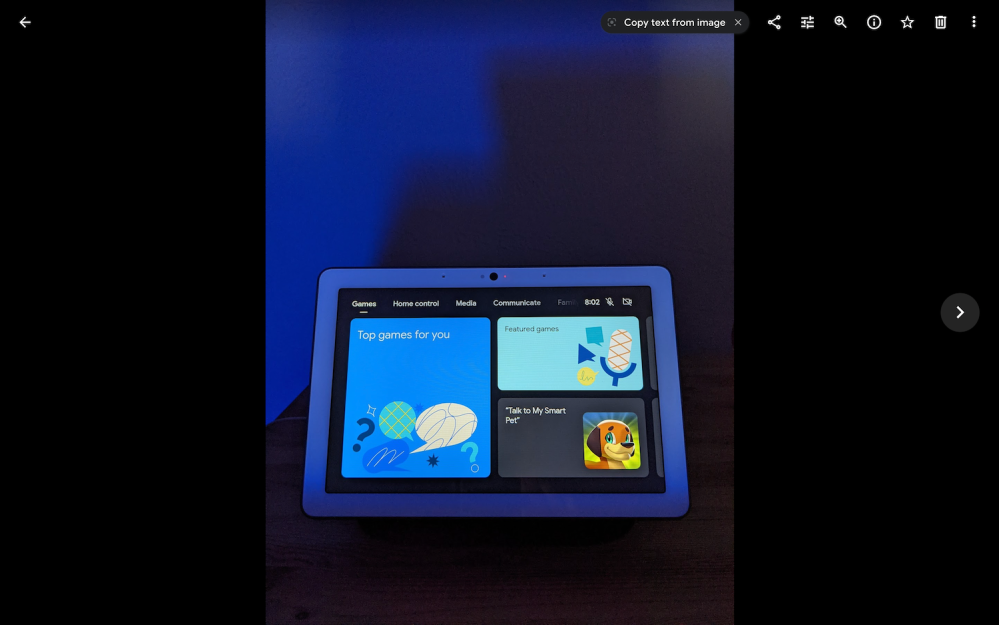
Opening an image with words reveals a “Copy text from image” suggestion chip that features the (old) Lens logo and dismiss button. It appears to the left of Share, Edit, Info, and other controls for Google Photos.
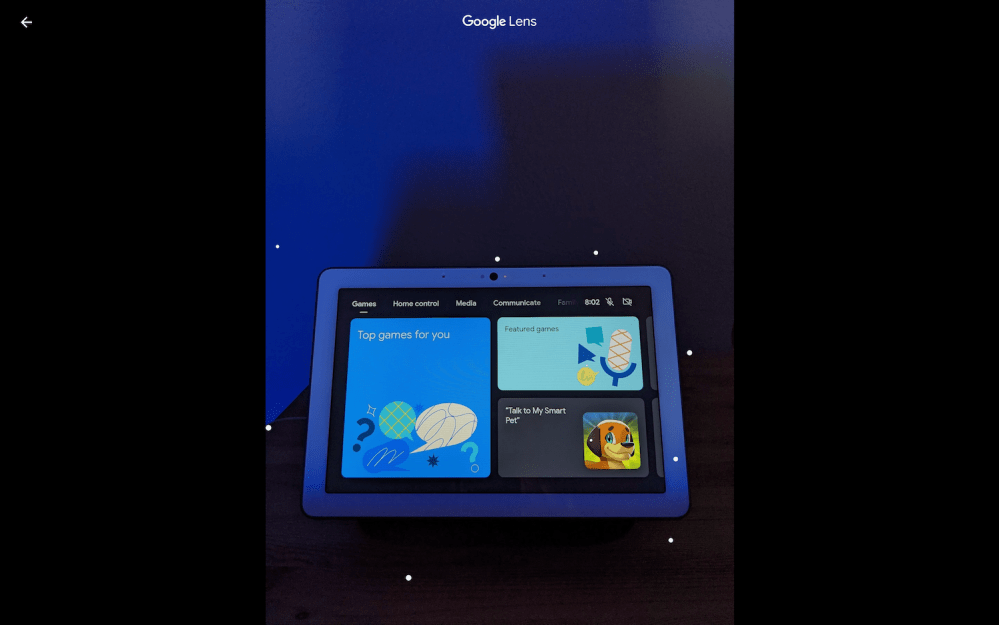
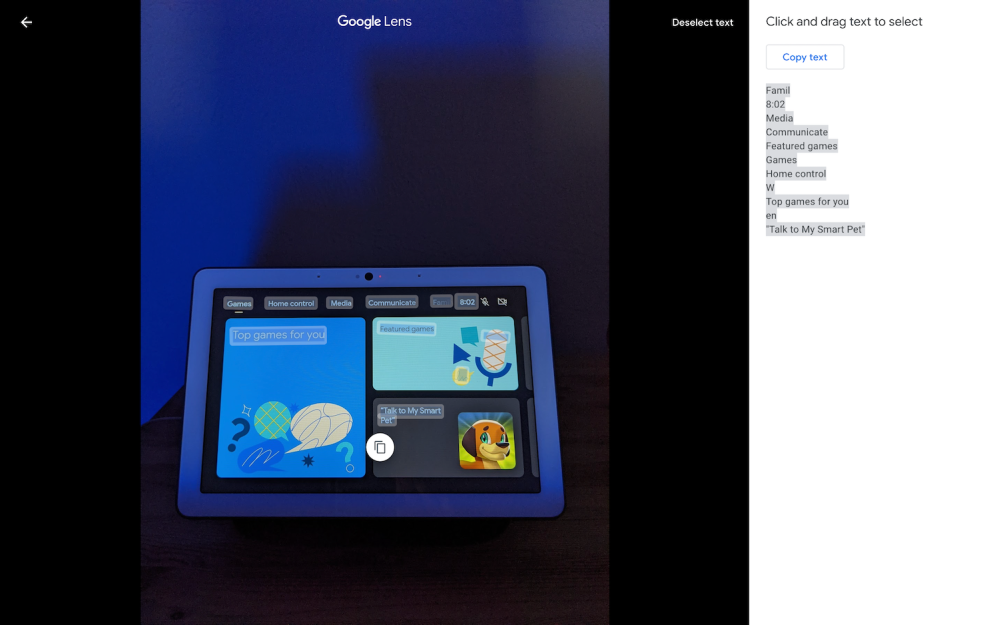
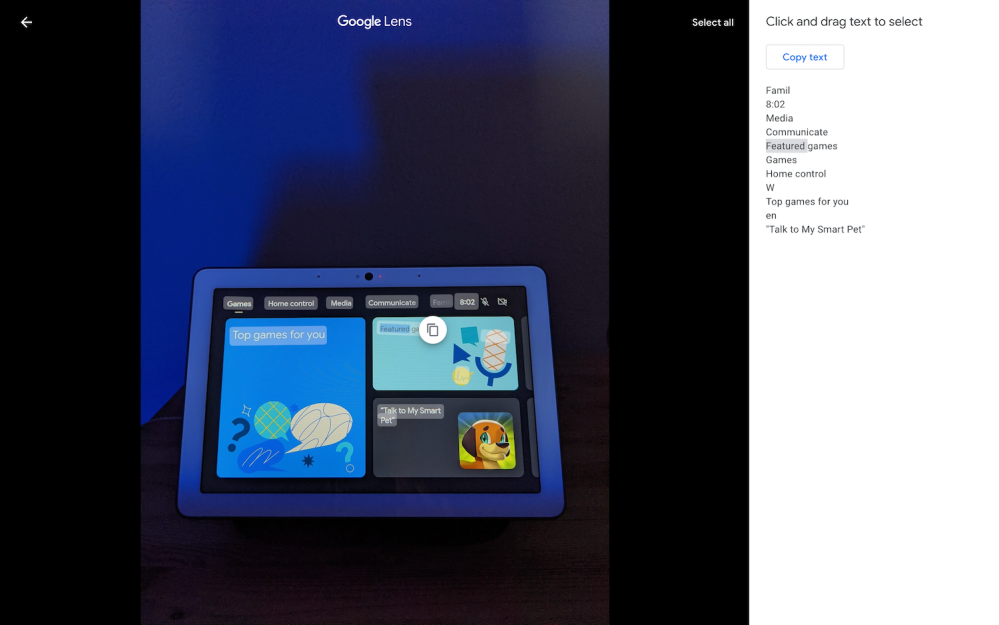
Tapping launches Google Lens with the same analysis animation of pulsating dots appearing over the picture for a brief second. Afterwards, all text in an image is selected by default and everything appears in the right panel. You can “Deselect text” from the top-right corner to just highlight specific passages and copy with a floating button over the image.
OCR is a very convenient Google Lens capability and the only capability live in this web version of Photos, which is widely rolled out today. The visual search tool does not currently work to recognize monuments or plants, and could help people explore their images and memories.
This is the first time Lens has expanded beyond mobile. On Android, it is available when you use Google Image Search, while Chrome mobile lets you hold down on any image for quick analysis. Besides Photos for the web, Lens would be very convenient in the desktop browser or at the very least images.google.com.
More about Google Lens:
- Lens translate chip for Recent Apps screen shows up on Android 12 w/ new design
- Google Lens tools now proactively appear in Google Photos for Android
- Google gives Lens a new logo that better reflects its camera functionality
- Lens AR lead departs to become chief product officer at Robinhood
- Chrome for Android may be gaining more Google Lens shortcuts
Thanks Anthony!
Author: Abner Li
Source: 9TO5Google
