



One of the best new additions in Android 11 has been that of the new media controls housed within the notification toggle section. While the feature is great, the ability to swipe away or dismiss media controls in Android 11 was removed just before the stable release.
As noted by Android Police, the December patch and subsequent Pixel Feature Drop has now restored the ability to dismiss media controls when active within Android 11. It’s not necessarily a huge deal to everyone but it’s a nice option to completely remove the large media player controls that do appear when you swipe down from the top of the status bar.
This is great if you have multiple media players open at one time and it’s even better if you are done with one app such as Spotify or Pocket Casts for instance. You can’t swipe away media controls though, you’ll need to tap and hold after swiping down the notification shade fully. It’s not quite as intuitive as swiping a notification icon away, but it’s still an option nonetheless.
You can see just how this works in the short gif below:
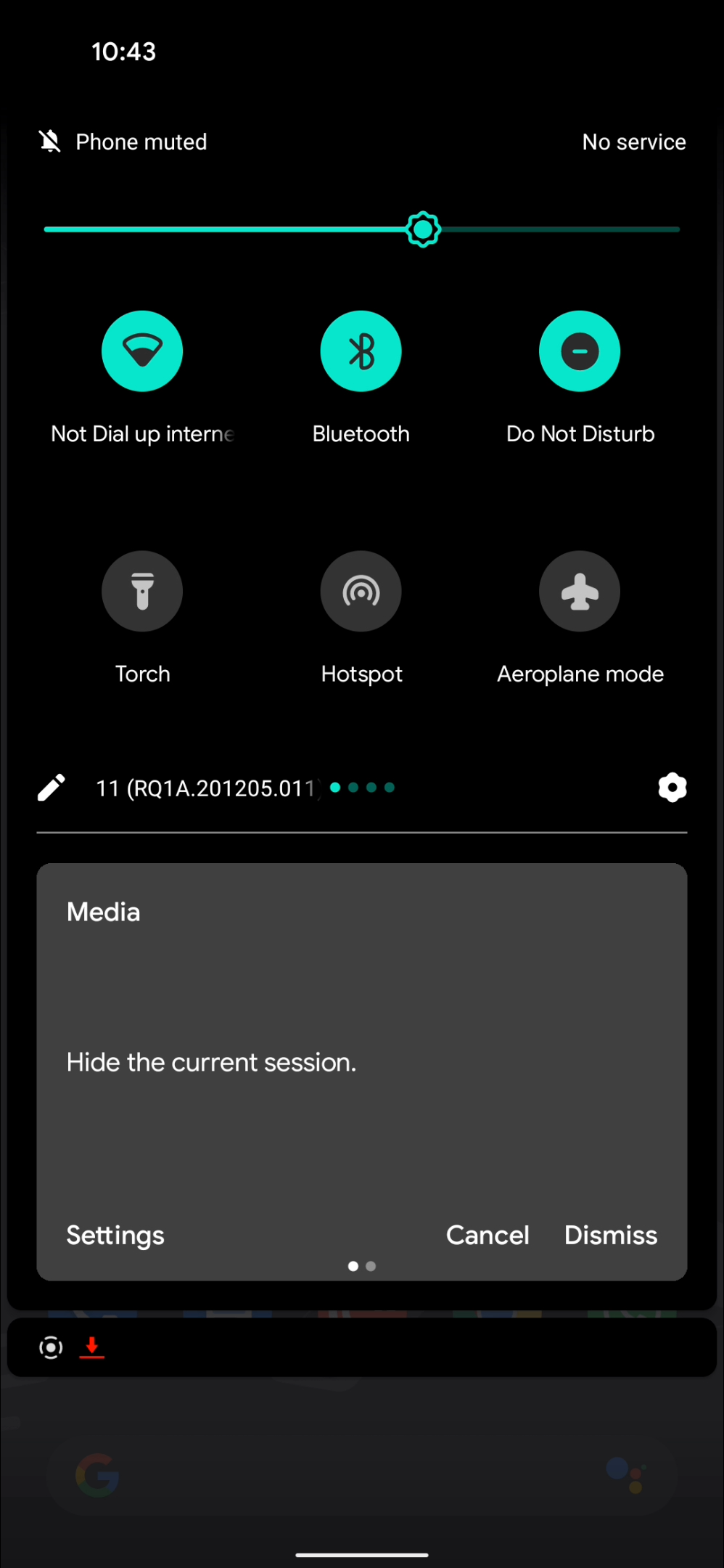
The only way to remove or fully dismiss the app-by-app media controls on Android 11 is to change the Settings options to disable Media Player in Quick Settings. That might not be ideal but until Google decides to tweak the media player yet again, then this is the best solution for now. Let us know what you think down in the comments section below.
- Android 11 update starts rolling out to Galaxy Note 20 series
- Android 11 stable begins rolling out for Poco F2 Pro w/ MIUI 12
- Samsung unexpectedly starts official Android 11 rollout w/ Galaxy S20 series on Verizon
- How to enable split-screen multitasking in Android 11 [Video]
Author: Damien Wilde
Source: 9TO5Google
