



Android Auto’s newest redesign takes several different bits of information and lays them out across the new home screen. To give a little more freedom in an otherwise fixed layout, Android Auto has made a new option available to change the layout of Android Auto. Here’s how to use it.
9to5Google has a rebooted newsletter that highlights the biggest Google stories with added commentary and other tidbits. Sign up here!
The home screen on the new Android Auto design consists of, at most, three cards with information on them. The biggest one is your navigation widget, which is primarily Google Maps – Waze currently has a functioning beta available. With that, you’re able to get a good look at where you are and where you’re going. The next card ties into the navigation screen, as it displays suggested destinations for easy access. After some time of driving, that card disappears and the final one expands, which consists of your desired media.
This layout was pretty much set in stone prior to the newest Android Auto beta (v9.0). You could choose what apps appeared, but users weren’t able to change where that navigation widget was. Of course, a new modular look doesn’t have the same desired effect without at least a little room to customize it.
How to change the layout of Android Auto’s home screen
For this new feature to work, you need to be a member of Android Auto’s testing program. The program is currently closed to new users, though the final feature release is surely not far off.
- On your Android Auto head unit, tap the app drawer button in the bottom left.
- Find and tap Settings.
- Look for Change layout.
- Select Navigation closer to driver.
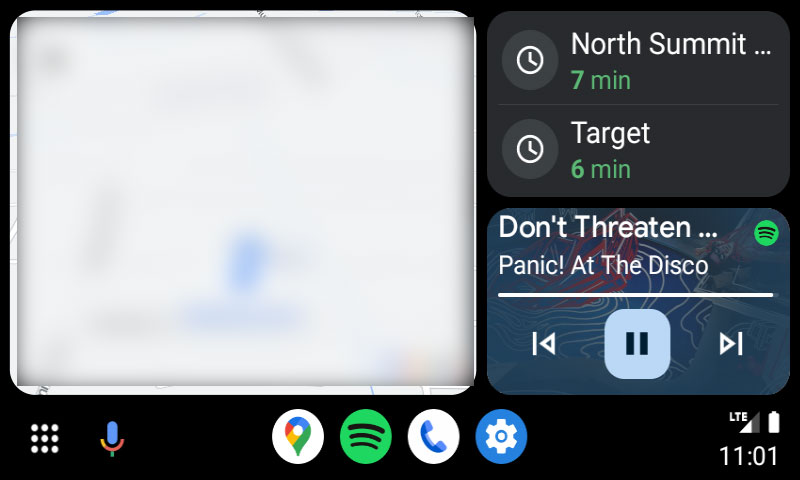
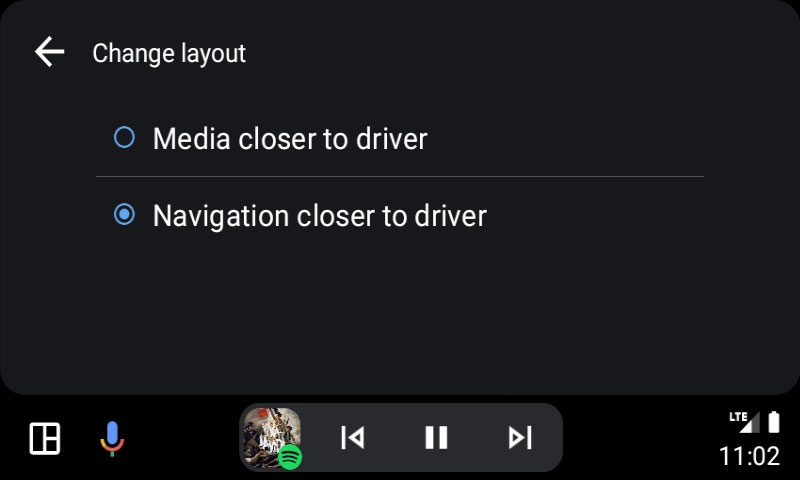
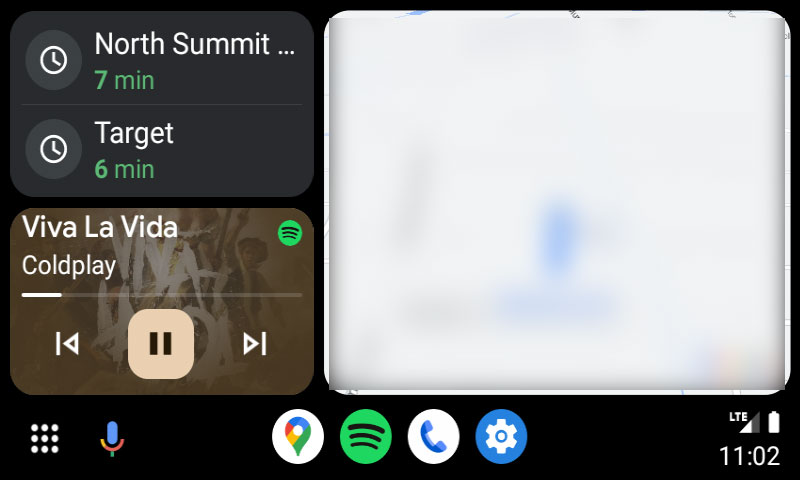
This option is also available through the Android Auto setting on your device. Choosing the latter layout will flip the cards over on themselves, leaving the navigation card sitting on the left side and the map suggestions and media displayed on the right.
This new option is purely a matter of preference, but it can come in handy for some looking to switch things up a bit. It’s unknown when this feature will become available to all users, though we don’t anticipate it being very long.
More on Android Auto:
- Why does Android Auto look different? What you need to know about the new redesign
- You can finally open Google Maps on your phone while Android Auto is running
- Google is already tweaking Android Auto ‘Coolwalk’ redesign with new animations, light theme
Author: Andrew Romero
Source: 9TO5Google
