


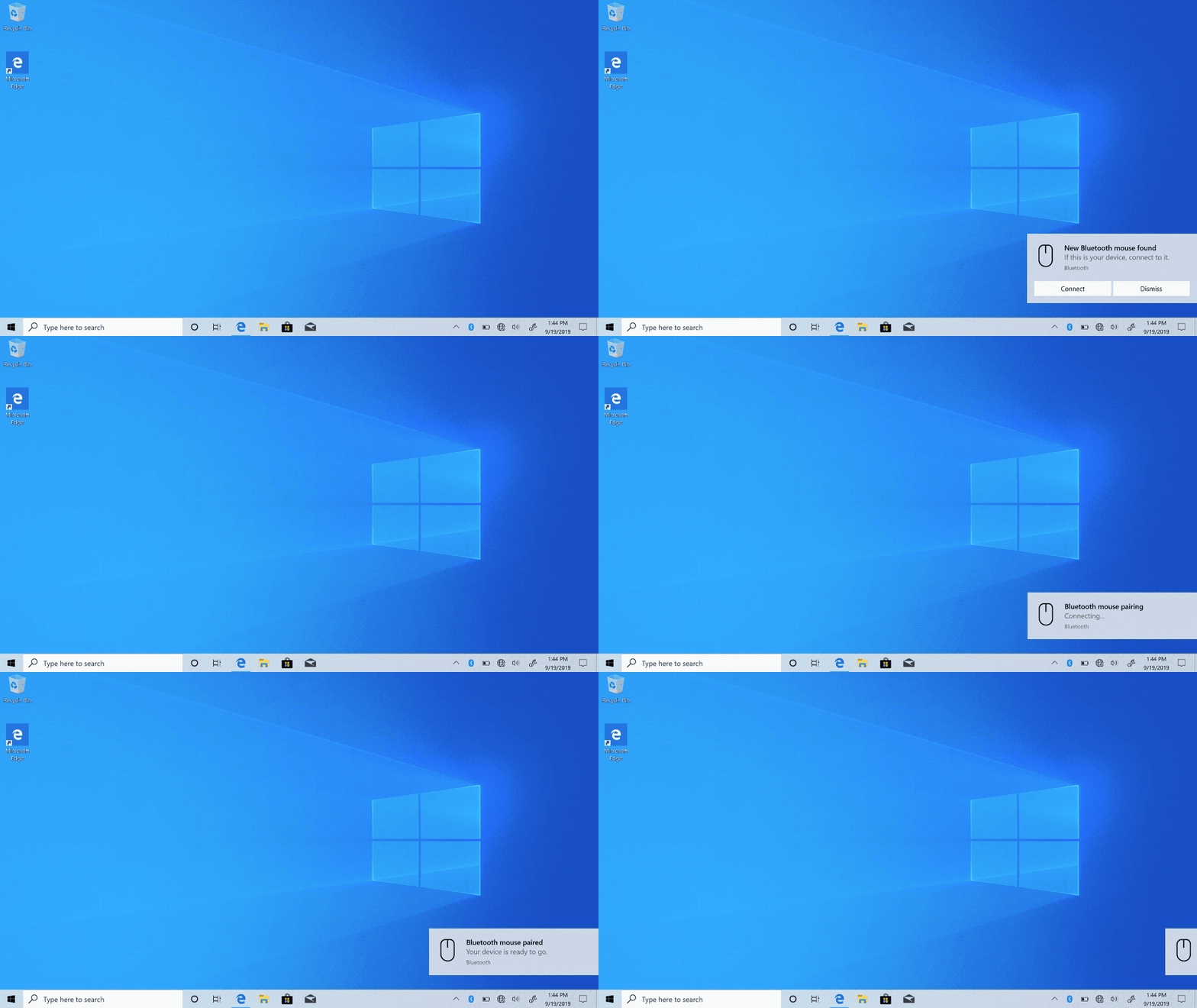
Microsoft has rolled out its latest Windows 10 preview build for Insiders in the Fast Ring, and it comes with an enhanced Swift Pair feature for Bluetooth accessories. The tech giant first introduced Swift Pair back in early 2018 as a quick way to connect Bluetooth devices to your PC. When the feature is active and an accessory is within the PC’s range, a prompt will pop up asking if you want to connect the two. Choosing to do so opens the Settings page, but in the new build, all pairing happens within the notification itself.
The improved Swift Pair function doesn’t need to open the Settings app to finish pairing anymore. Further, the prompt now comes with a Dismiss button in case you don’t actually want to link your devices. The notification now also shows what kind of accessory is in range, whether it’s a mouse, a keyboard or something else.
That said, Swift Pair only works with supported devices, which include the Surface Ergonomic Keyboard, Precision Mouse, Mobile Mouse, Arc Mouse and Headphones, as well as the Microsoft Modern Mobile Mouse and Arc Mouse. The beefed up feature is only available for half of all Insiders at the moment, as well.
Aside from releasing a simpler and faster version of Swift Pair, Microsoft has started rolling out all an improved Snip & Sketch to all Insiders. The new version makes “single window” the default mode, closing previous snips when you click New so it doesn’t flood your screen with a bunch of windows. It’ll also allow you to zoom in on screenshots if they’re a bit too small.
Author: Mariella Moon
Source: Engadget
