



Want to become more efficient with Reminders on your Apple devices? Read on for how to use Siri to set location-based Reminders on iPhone, Apple Watch, iPad, Mac, and HomePod.
Using the Reminders app to alert you about your to-do items at a certain time can be helpful, but real life is fluid and ever-changing, so a location-based Reminder can often be more helpful.
Going beyond typing in Reminders manually with location-based alerts, let’s look at building the habit of doing it with Siri on any of your Apple devices.
Siri: How to add location-based Reminders on iPhone, Apple Watch, iPad, Mac, and HomePod
- On any of your Apple devices, give Siri a command like, “Remind me to buy carrots when I leave the house”
- You can check on your iPhone, iPad, or Mac that the Reminder has been set with the geofence of you leaving your house (or other choice) triggering the alert
- To have your location-based Reminders show up in a certain Reminders List, try a command where you name a list like “add tortilla chips to the _________ list for when I’m leaving my house”
- You can also set location-based Reminders to trigger when you arrive at a location, getting in or leaving your car, or a custom location option
To edit the type of location-based Reminder, on iPhone, iPad or Mac, select the Reminder, then tap the location arrow, then choose another option or use “Custom.”
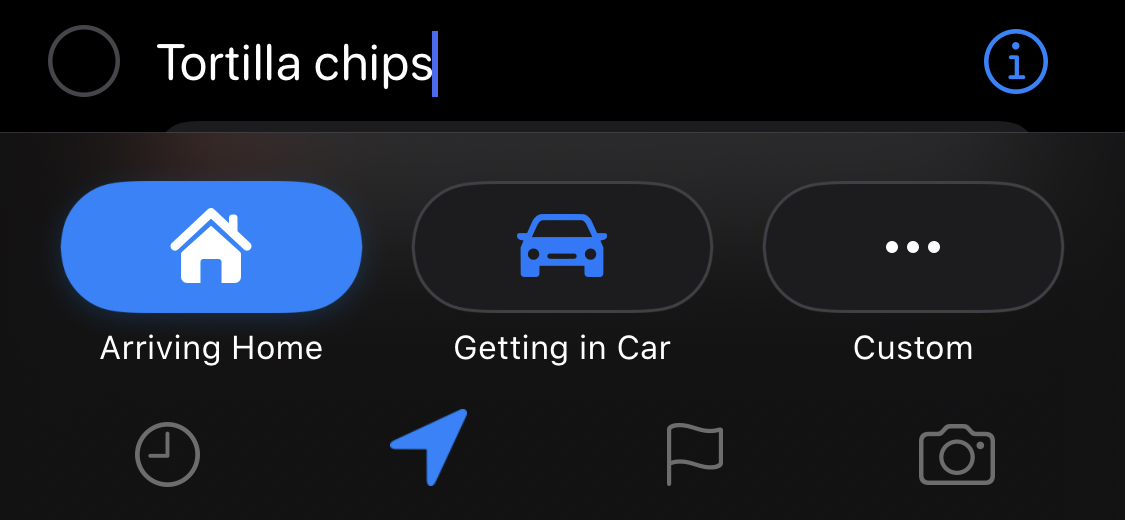
Here’s how the process looks on iPhone:
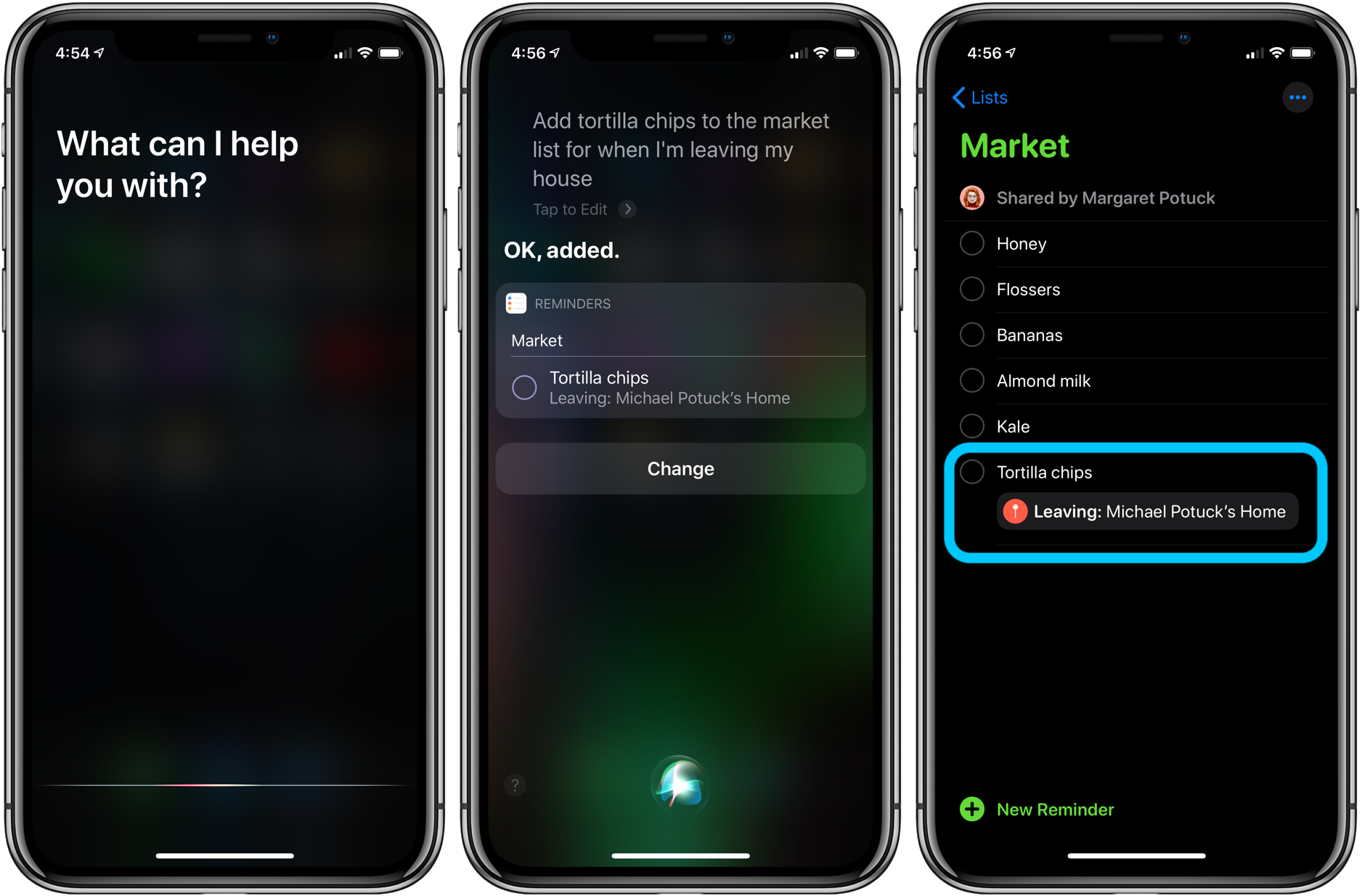
iPhone & iPad:
- iPhone: How to turn off Ultra Wideband chip to prevent background location tracking
- iPhone: How to turn off Live Photos for existing pictures
- iPhone: How to remove location data from photos and videos before sharing
- iPhone: 5 tips to declutter and organize apps, emails, messages, photos, more
- How to use the Apple Pencil screenshot shortcut on iPad
- How to find out when your iPhone 11 camera is using Deep Fusion
- How to use the Deep Fusion iPhone 11 and iPhone 11 Pro camera feature
- How to edit messages on iPhone and iPad with two-finger tap
- How to use the ultra wide camera on iPhone 11 and iPhone 11 Pro
AirPods Pro:
- Audio not working for one of your AirPods? Here’s how to fix it
- How to get AirPods Pro ear tip replacements
- How to clean your dirty AirPods Pro and charging case
- AirPods Pro: How to customize Force Sensor controls
- AirPods Pro: How to use Ear Tip Fit Test and change tips
- AirPods Pro: How to use noise cancellation and Transparency mode
- AirPods Pro vs Powerbeats Pro: How specs, size, price, and more compare
- What’s the difference in AirPods and AirPods Pro? Here’s how size, price, and features compare
Mac:
- Mac: How to fix and restart the Touch Bar when it stops working
- How to delete iPhone backups in macOS Catalina
- macOS Catalina: How to master Dark Mode for Mac
- How to force iMessage to sync with iCloud on Mac
- macOS: How to set up Force Click with a Logitech MX Master mouse
- How to check iPad and Mac Sidecar requirements
- How to create a bootable macOS Catalina 10.15 USB install drive [Video]
- How to sync iPhone and iPad to your Mac in macOS Catalina without iTunes
Author: Michael Potuck.
Source: 9TO5Mac
