



Among the variety of security and privacy enhancements with iOS 14 is improved control for photo permissions. Read along for how to limit third-party access to the iPhone’s Photos app.
With iOS 13 and earlier, when a third-party app asked for permission to access your Photos library, the only options were to deny or allow the request. That meant saying yes gave access to your full Photos library potentially including location and other metadata.
iOS 14 improves that experience by giving users a third option: the ability to allow apps to only access selected images. The process is naturally more time-intensive compared to just allowing access to all photos but is a valuable addition for those who have privacy and security top of mind.
Below we’ll look at how to limit Photos access the first time you open an app in iOS 14 as well as how to edit the selections in the future on a per-app basis.
How to limit third-party access to iPhone Photos app in iOS 14
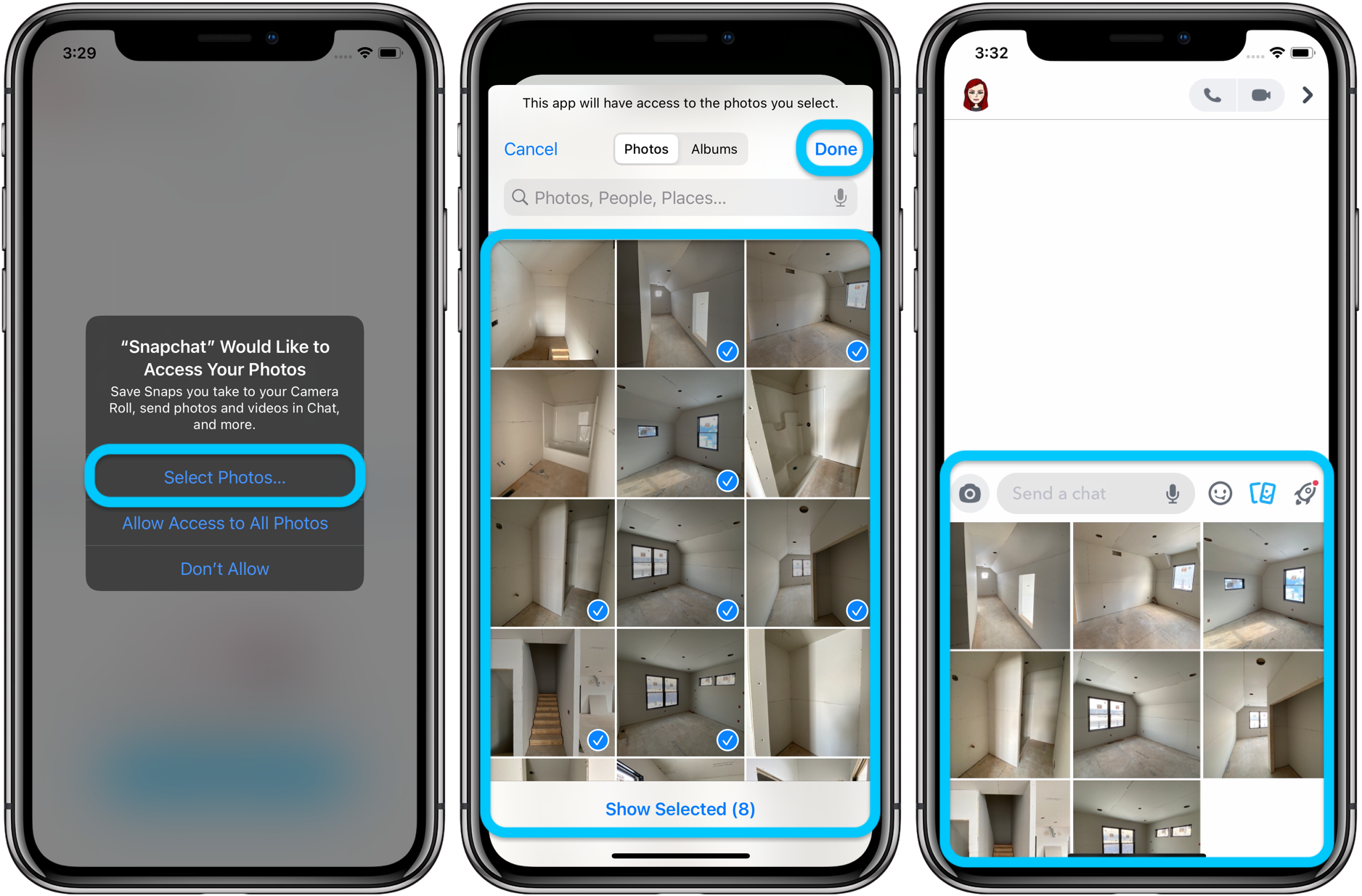
- The first time you open an app in iOS 14 that request access to your Photos library you’ll see a pop-up asking about the permission you’d like to give
- Choose Select Photos… if you want to limit what an app has access to
- Pick the images you’d like to make accessible (you can use the search bar or also switch to album view)
- Tap Done in the top right corner
- Now only those photos will be available in the third-party app
Here’s how that process looks:
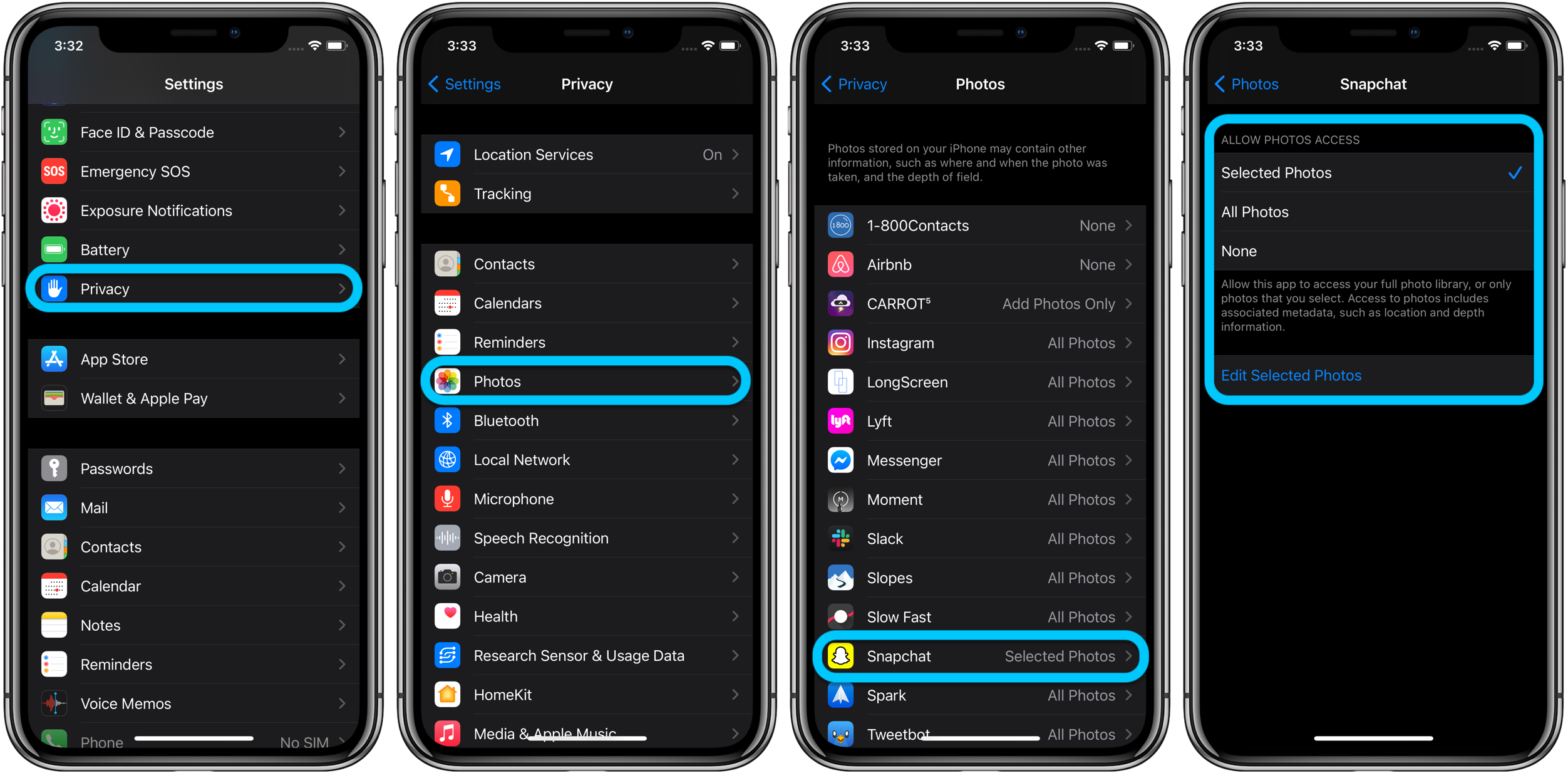
- To check or change the access a third-party app has to your photos head to Settings
- To see all app Photos permissions as once, tap Privacy > Photos
- You’ll now see all apps that have requested Photos access
- Tap one to change its permissions or choose Edit Selected Photos to add or remove photos
You can also find Photos app permissions in the general settings menu for each app (e.g. Settings > Snapchat > Photos).
- Hands-on with the top 10 iOS 14 features for iPhone [Video]
- iPadOS 14 – 50+ Top Features and Changes! [Video]
- iOS 14: Here’s how to use the new iPhone home screen widgets
- Hands-on: Widgetsmith brings ultra-customizable widgets to your iOS 14 home screen
- iOS 14: How to do Picture in Picture video multitasking on iPhone
- iOS 14: How to watch 4K YouTube videos on iPhone, iPad, and Apple TV
- iOS 14: How the compact call interface works on iPhone
Author: Michael Potuck
Source: 9TO5Mac
