



Google Sheets, much like Excel, is a great tool for storing and organizing data in a legible and comprehensive way. But what good is data if it’s all over the place? This quick tutorial will give you a step-by-step guide on quickly alphabetizing data in Google Sheets.
There are dozens of ways to sort data in Google Sheets. One of the easiest ways to do that is simply to alphabetize it. Doing so will give a clear structure to your Google Sheet document, and it takes only a couple of clicks. Here’s how to do it.
On desktop
- On your desktop, head to sheets.google.com and open up the document you want to organize data in.
- Choose either a column or row you want to alphabetize in Google Sheets. Right-click the letter or number that corresponds.
- Tap Sort Sheet A-Z or Sort Sheet Z-A.
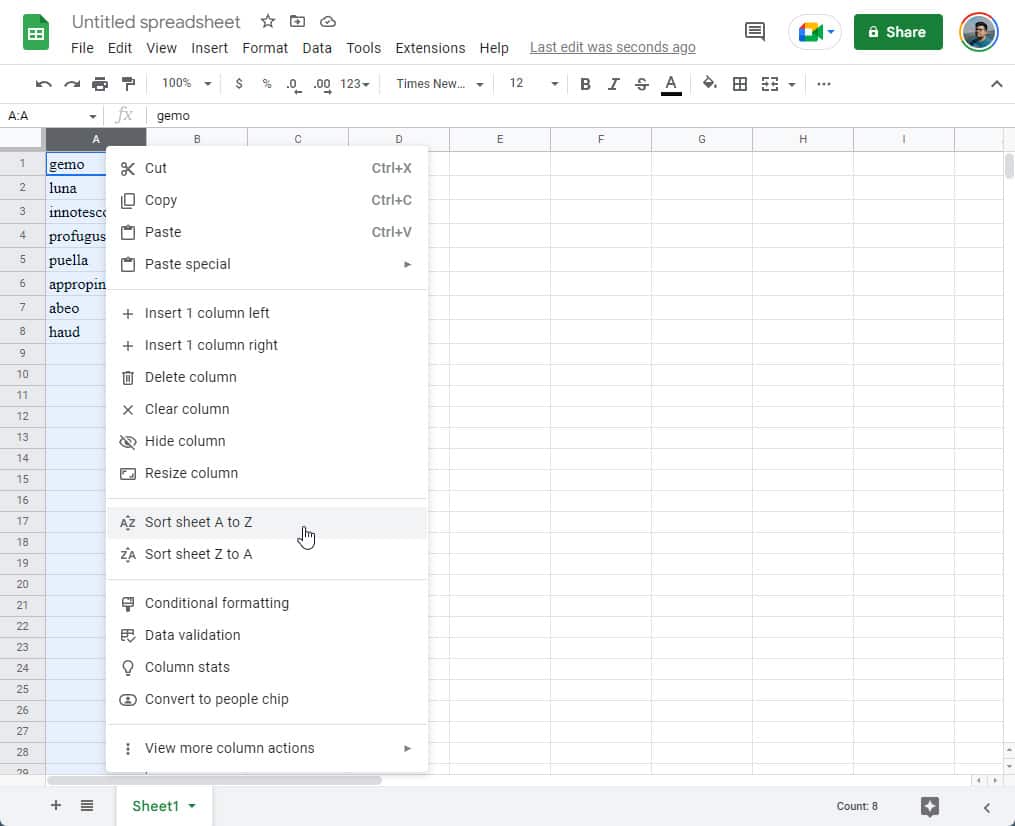
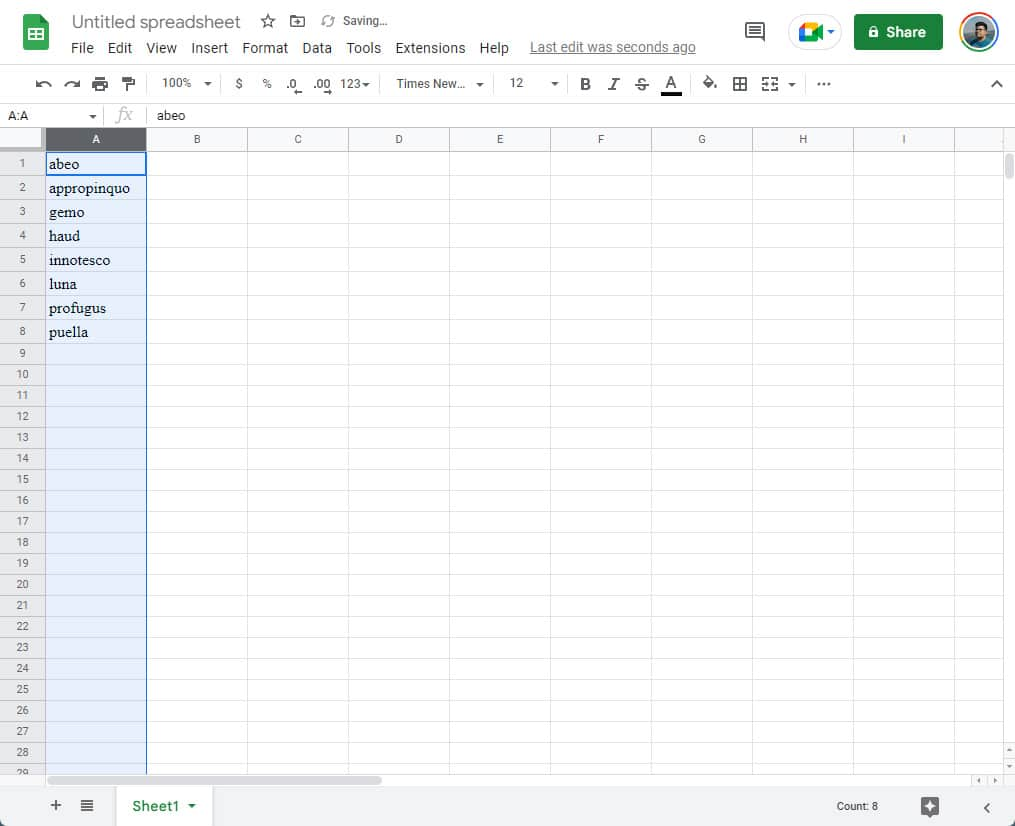
Once you do that, everything in that column or row will organize itself into the correct order, either from A to z or vice versa.
On Android or iOS
- On your Android or iOS device, head to the Google Sheets app.
- Once there, open your document.
- Tap the row number or column letter that corresponds to what you want to alphabetize.
- Tap the more icon.
- Hit Sort A-Z or Sort Z-A.

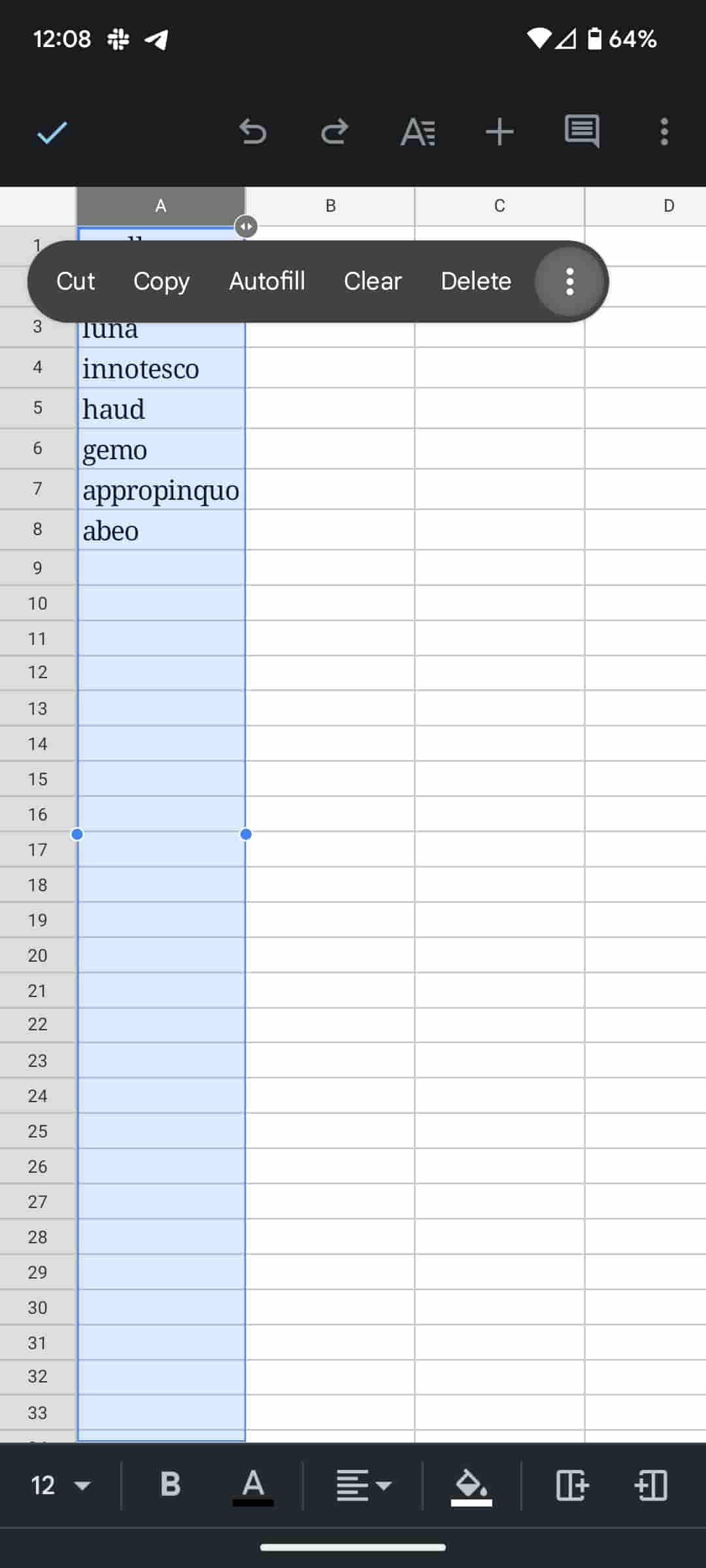
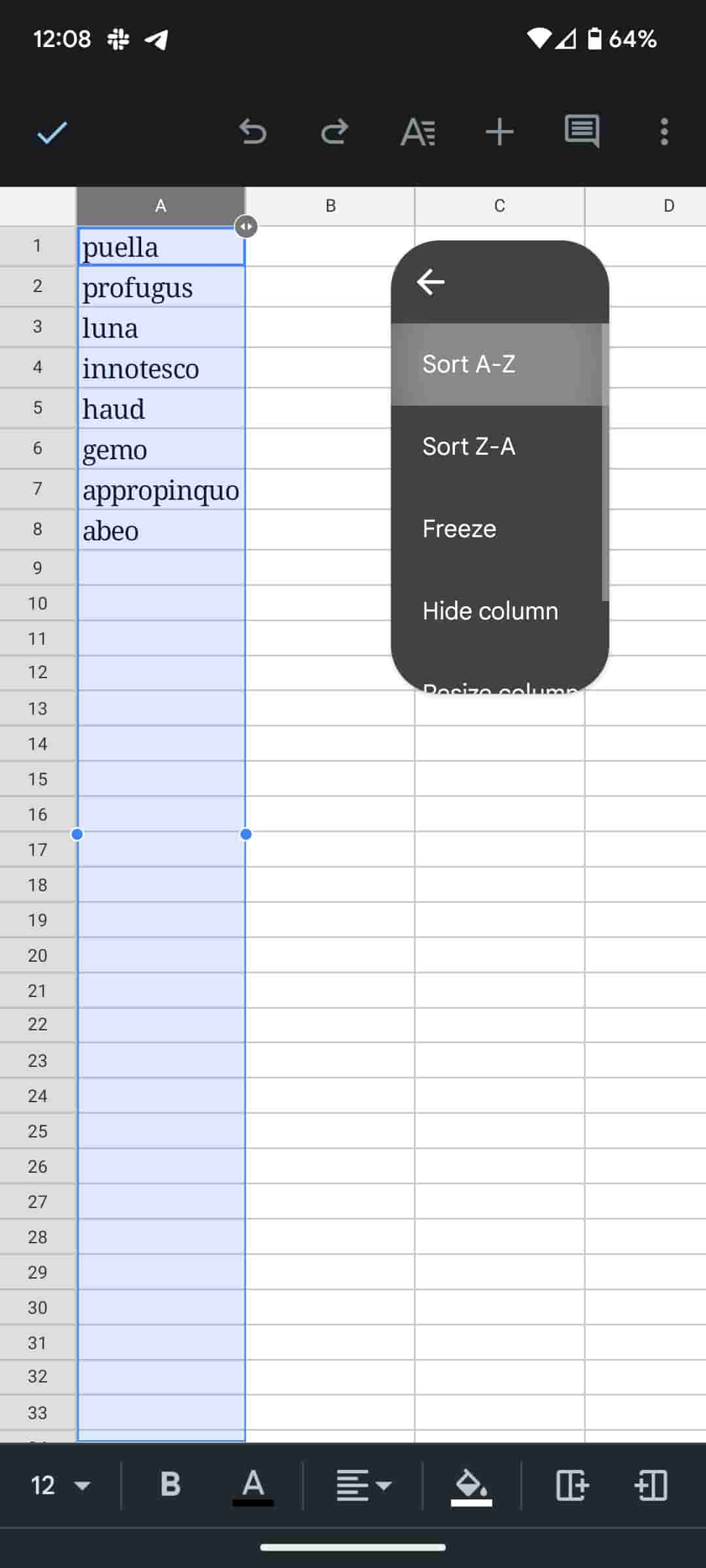
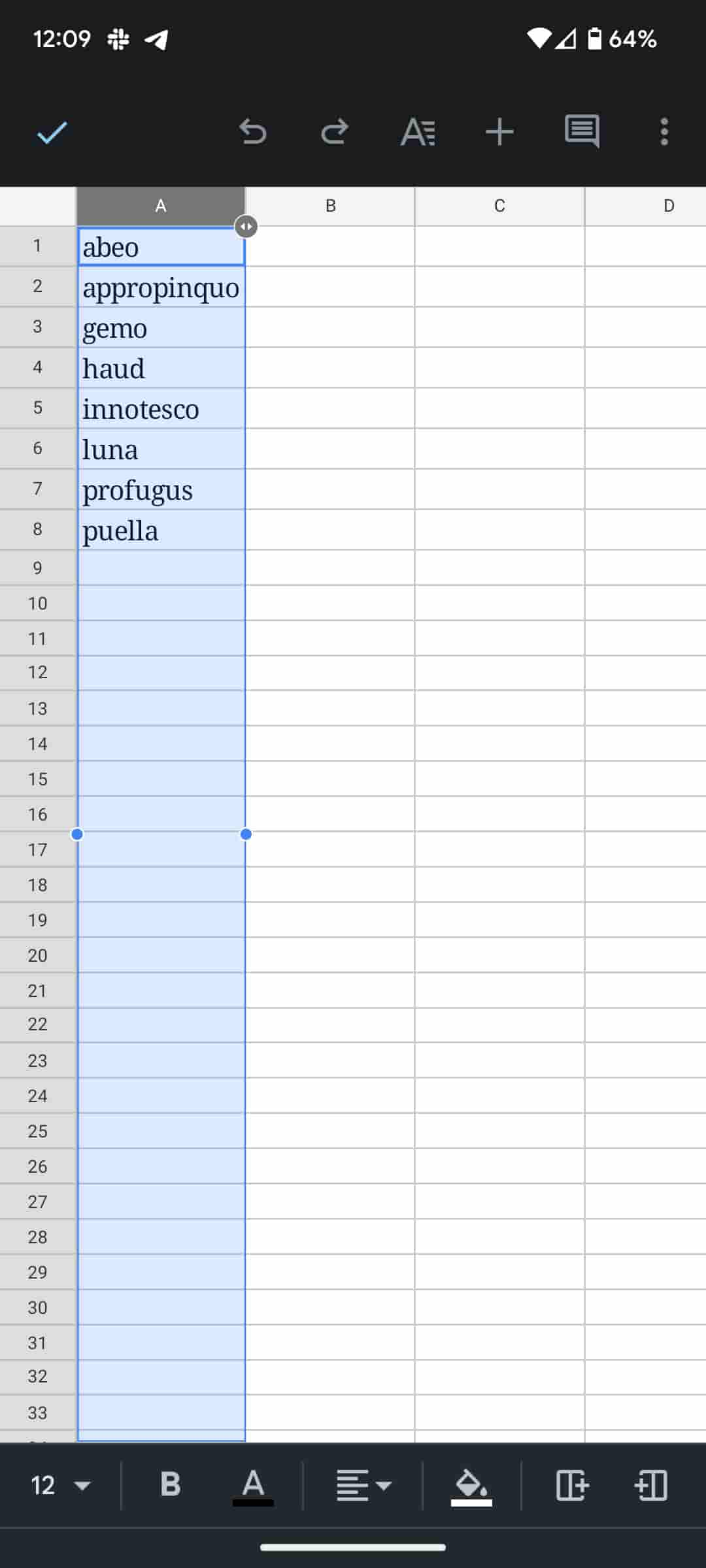
The process is fairly similar on both desktop and on mobile devices like a Samsung Galaxy phone. Either way, you need to select the entire column or row and then select Sort A-Z. Do note that you can also do this with numbers. There are no separate buttons for numbers. Rather, you can ask Google Sheets to alphabetize numerical data, and you’ll see the result you want.
This Google Sheets skill is a great tool to have in your back pocket, among many others. Being able to sort your data is one of the main skills you need to master in order to use Google Sheets effectively.
More on Google Workspace:
- Google Meet now shows how much background noise is being removed
- Google Docs, Sheets, and Slides now offer individual control over accessibility settings
- Comment: Chromebooks need better Google app integration, and one-click Calendar is a start
Author: Andrew Romero
Source: 9TO5Google
