



Following this morning’s Zoom announcement, the Google Meet experience on Nest Hub Max is getting a revamp. A handful of usability tweaks provide more controls to the group video calling experience introduced in June.
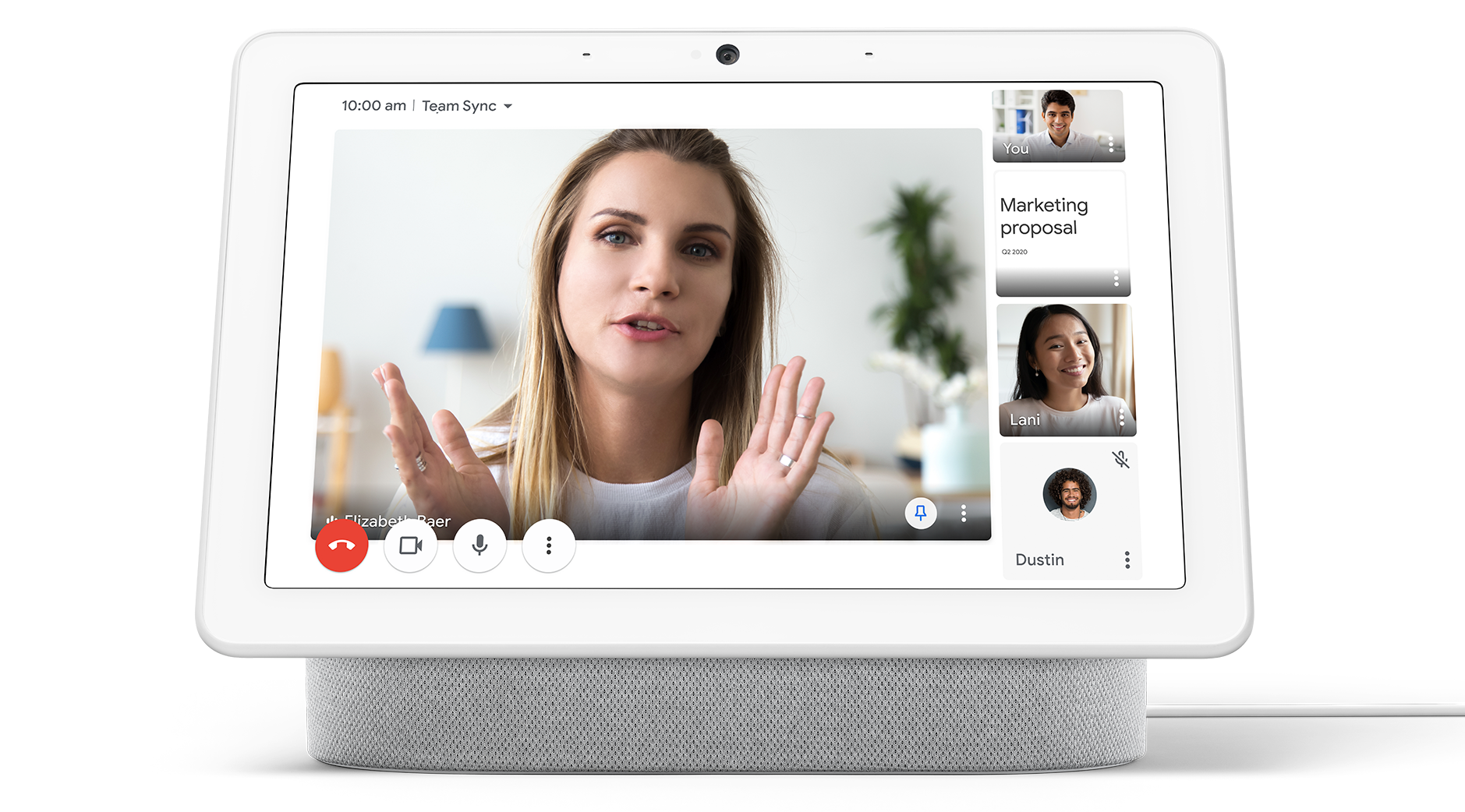
Google is adding an in-call clock to the top-left corner of the screen. Appearing next to the call name, it’s meant to “keep meetings on schedule” and revealed by a simple tap.
Tiles will feature nameplates in the bottom-right, while users can be pinned to enlarge individual feeds on the 10-inch screen. This is quickly achieved by double-tapping their window, with other callers moved to a right-side vertical rail.
There’s also a 2×2 grid to see four meeting participants, including yourself, at once. Lastly, call attendees not displayed in that new view are listed in the overflow menu alongside URL, dial-in, and PIN details.
These new Meet features are already available on the Nest Hub Max, and available for:
Google Workspace Essentials, Business Starter, Business Standard, Business Plus, Enterprise Essentials, Enterprise Standard, and Enterprise Plus, as well as G Suite Basic, Business, Education, Enterprise for Education, and Nonprofits customers
This is part of Google positioning Assistant Smart Displays to be more helpful in work environments by providing users a dedicated video calling device.
More about Google Meet:
- Assistant rolling out multi-account sign-in and access; available for Calendar, Meet
- Google WiFi & Nest WiFi can prioritize Zoom and Meet video calls for better stability
- Classic Hangouts now uses Google Meet for group video calling
- Google Meet attendance reports are now available for more Workspace tiers
Author: Abner Li
Source: 9TO5Google
