



As previewed in February, Google Docs on the web is getting a rather nifty template for drafting emails that features Gmail integration. This is part of Google’s @-menu and Smart Canvas push.
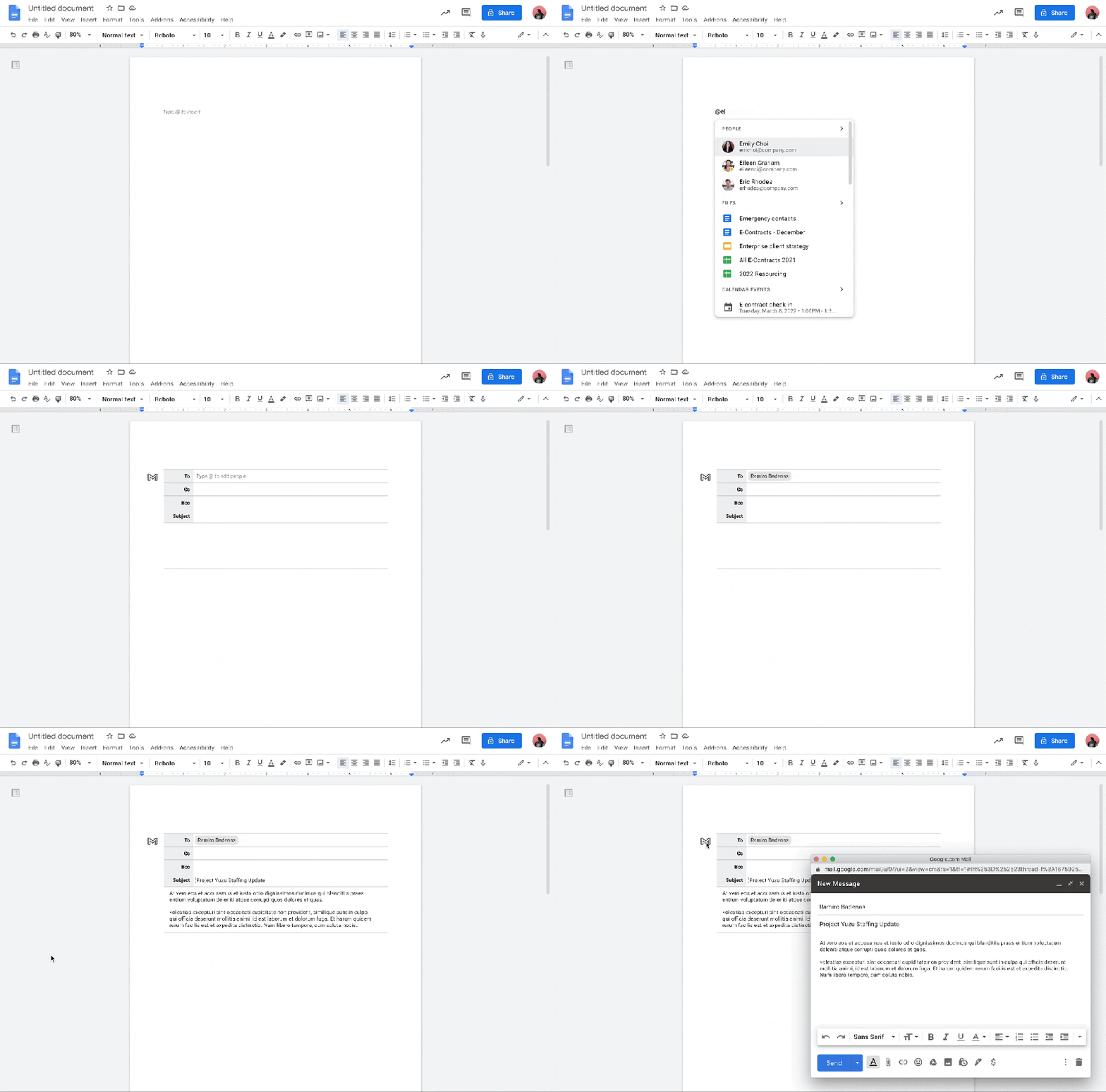
Entering @email in docs.google.com (or selecting “Email draft” below “Meeting notes”) will load a template complete with To, Cc, Bcc, and Subject lines. It can also be accessed via Insert > Building Blocks > Email draft.
The recipient fields support @[person name] with their email address automatically filled in. Afterwards, you just collaborate on the message body below with commenting and suggestions available.
Once you’re done, tap the Gmail button in the top-left corner to transfer it to the Gmail compose pop-up that will appear with everything (subject, to, cc, bcc, and body) “automatically populated based on the email draft in the document.”
A big part of Workspace’s Smart Canvas push is the @-menu. It allows for fast sharing/invites and file linking. It also serves as a formatting menu with fast insertion of lists, media, dates, headings, and page components (e.g., counts, header/footer, watermarks).
The Gmail template in Google Docs will be available for all Workspace customers over the coming weeks. It should be widely available by around the middle of next month.
More on Google Docs:
- Hands-on with the ‘new Gmail view’ web redesign: Sidebar woes, chat bubble default, custom themes
- Google Docs getting AI-generated summaries, collaborative email templates, and more
- Gmail testing the option to pause smartphone notifications when using the desktop client
- Docs now lets you create ‘Confidential,’ ‘Draft,’ and other text watermarks
Author: Abner Li
Source: 9TO5Google
