



Managing apps across multiple Android phones and tablets can be a frustration, so it might be great to hear that Google appears to be testing a multi-device app sync option on the Play Store.
If you use more than one Android phone, tablet, or smartwatch at a time, keeping track of the apps installed on each of these devices can be tiresome. However, according to a tweet from @AssembleDebug in response to Artem Russakovskii, Google seems to be testing an option to sync apps across your Android devices — as there are little to no reports of the function elsewhere at this point in time.
This would mimic the way that iOS handles app installs by default, syncing these across iPhone, iPad, and Apple Watch and, in turn, putting your favorite apps within reach no matter what device you are currently using. According to this report, within the Google Play Store settings is a new “Sync apps to devices” section within the “Manage apps and device” sub-menu. Tapping opens a list of connected devices that you can select or deselect for app sync:
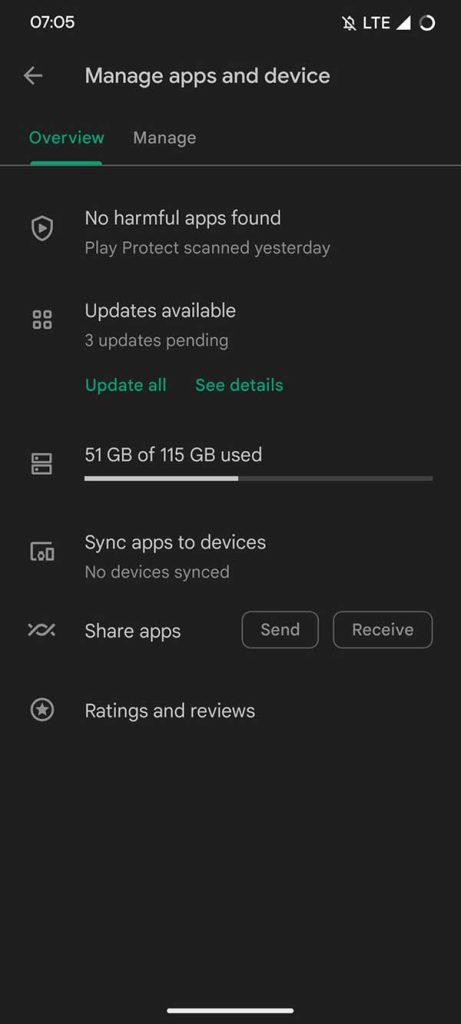
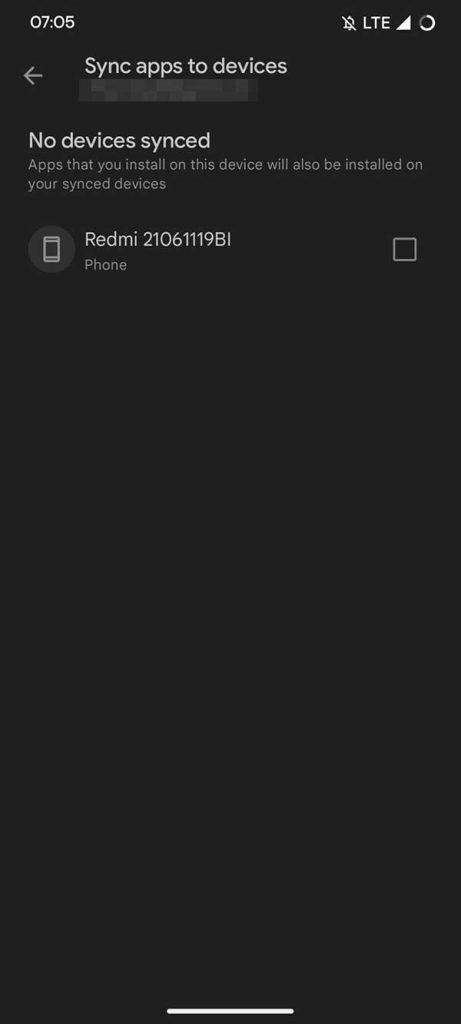
This would likely complement the existing ability to install apps from one device to another from the Play Store when they are linked to your account. Previously, this was limited to smartwatches, Android TV devices, and tablets, but has quietly expanded to smartphones over the past few weeks too.
Being able to simply sync apps purchased or downloaded from the Play Store to all of your Android devices simultaneously would certainly be a useful function. Removing the current requirement to manually do so is something we’d wholeheartedly get behind and would make switching to another phone or tablet just that bit easier on a daily basis.
This would also mimic the initial setup process where your Android phone will pull any apps from another smartphone. However, in that instance, it is only available at the point of setup and cannot be done after the fact. Instead, you need to head to the Play Store and manually choose which apps to install if you skip this initial device setup procedure.
For anyone with lots of different Android phones, tablets, smartwatches, and smart TV hardware, this could help you switch between seamlessly without having to worry about heading to the Play Store to get feature parity.
More on the Google Play Store:
- Material You Google Account switcher coming to Play Store
- Play Store letting you rate and review apps by form factor on the web
- March Google System Updates: Wallet loyalty card tweaks, more [Updated]
Add 9to5Google to your Google News feed.
google-news
Author: Damien Wilde
Source: 9TO5Google
