


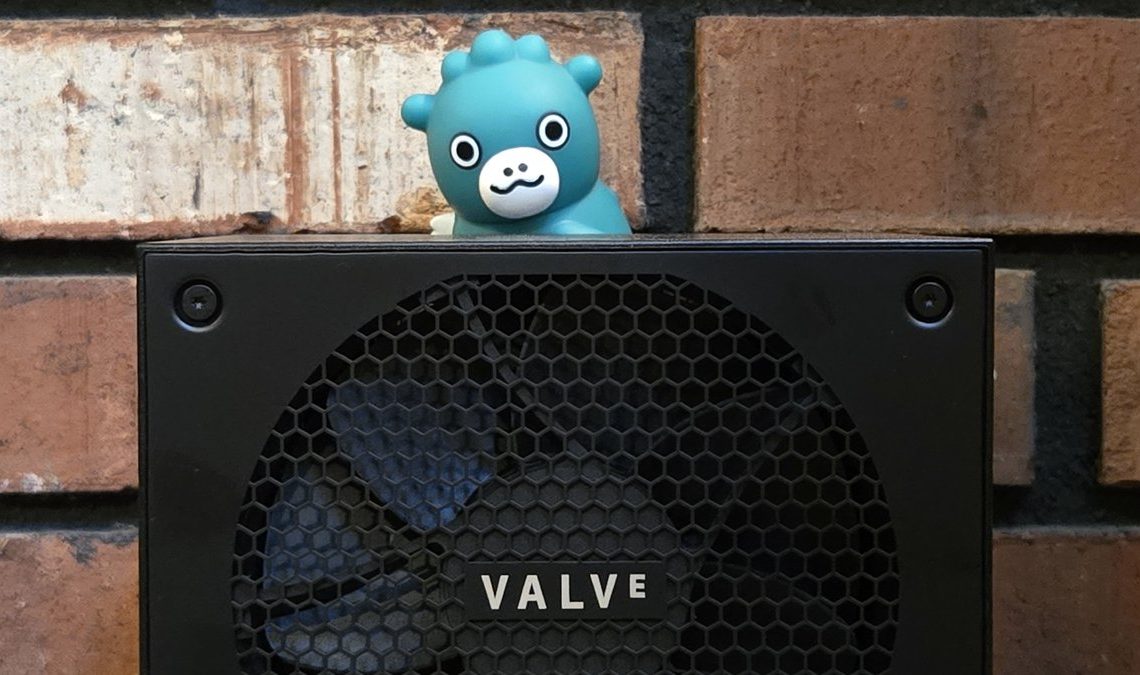
Welcome to Boost Mode, my weekly PCWorld newsletter focused on PC gaming, enthusiast hardware, and other geeky stuff centered around your desk and desktop. Fortuitously, my Steam Machine just came in last week, giving me the perfect topic for this inaugural column. I spent my own money to buy it… and I kind of wish I hadn’t. It cost a lot of money, for not a lot of hardware.
The Steam Machine makes sense for Valve as a beachhead in the traditional console space. But I don’t think it makes sense for gamers after it debuted at an inflated price. (Thanks, “AI,” for making everything so expensive even companies like Valve and Microsoft can’t keep prices low.) And early indications are that even if you can pay the higher price, you might not be able to get one anyway, thanks to hardware output far below demand. So what’s a better option?
Don’t get me wrong, I love SteamOS, Valve’s Linux derivative focused on easy access to PC gaming and, well, Steam. And the Steam Machine itself is adorable, tiny, practically silent, and bursting with charm. But at over a thousand bucks to play PC games in your living room, it just doesn’t compete very well with devices like the Switch 2 and PlayStation 5, which have access to a lot of the same AAA games, plus exclusives.
The Steam Machine was intended to be a secondary hardware option for PC gamers who wanted to extend their play space into the living room, console territory. Valve has tried this multiple times, with the original Steam Machines way back in 2015, and again with the Steam Deck as a docked, Switch-style gaming hub. And it might have been really good for that… but it’s not Valve’s fault that 2026 is a horrible time for anyone to make PC hardware, especially affordable hardware meant to compete with game consoles.
So what’s the alternative to the Steam Machine? The obvious answer is “a PS5,” but there are plenty of people out there who either already have one (it’s six years old now), or don’t want one (it’s only getting more expensive, like everything else).
And let’s be honest, we’re PC gamers here. We’d always prefer something we can dig into and modify rather than a locked box, to say nothing of access to literally hundreds of thousands of games, from classics to indies.
Since the appeal of the Steam Machine is getting your Steam library into the living room or some other non-desk area, I think there’s a better way to do it.
The solution to the Steam Machine’s launch woes comes from Valve itself. Recent updates to the operating system let it run on a wide array of off-the-shelf hardware. If you happen to have an AMD processor and graphics card — including the integrated GPUs that most laptops use, as well as handhelds like the Steam Deck — you’re golden. If you’ve ever reinstalled Windows, you can probably handle a SteamOS install, too.
So the idea here is to get a cheap mini PC, scrape Windows off it, and load up SteamOS. Bam, you’ve got a Kirkland-brand “Steam Machine” that’s far less powerful, but still more than capable of running 2D and older games, just like the Steam Deck handheld has done for years.
In fact, let’s use the Steam Deck as a target for this intellectual exercise, and see how much money we can save. After all, it’s shocking just what games you can get running on that thing, even if it’s just at 720p for the more intense stuff.
For example, according to the Steam Deck Verified system, a Steam Deck can handle:
Now, what can’t you play on Steam Deck hardware? You’re basically excluded from three categories of PC games:
Similarly, I wouldn’t use a Steam Deck or a mini PC to run competitive 3D games. Sure, you can get Marvel Rivals or Overwatch running on the Steam Deck, but I wouldn’t want to actually get into a competition lobby.
So, let’s set this performance target. The Steam Deck uses an AMD Zen2 4-core APU with a 6nm architecture and 2.4-3.5GHz of speed. The integrated GPU is an RDNA 2 chip with eight compute units, 1.6GHz of speed, and the whole thing maxes out at 15 watts. That is essentially a mid-grade laptop setup from 2020 or so, though the Steam Deck gets a lot of tuning to make it more efficient even as it plays games.
It seems like nothing, at least if you’re used to gaming on a serious Nvidia or AMD discrete card. But if you’ve actually tried any of the first-gen handhelds, you know you can squeeze them for a shocking amount of performance.
I’m not the first person to ask, “What’s the closest equivalent to the Steam Deck hardware you can buy that isn’t a Steam Deck,” and the consensus answer seems to be a Ryzen 3000-era chip. The Ryzen 3500C or 3500U matches them pretty closely with its core count and power draw, albeit with a slightly slower GPU. The biggest difference is that the Steam Deck uses speedier DDR5 memory, instead of DDR4.
Alrighty then, we’re looking for a Ryzen 5 3500-based system or better, with 16GB of DDR5 memory (shared between the system and graphics) and at least 512GB of storage. (The Steam Deck was initially available with a lot less, but c’mon, we need some breathing room.)
That DDR5 requirement is actually a bigger deal than you might think — most of the super-affordable options are going for older, cheaper DDR4 memory right now. It’s also the basis for the AM4 systems that are a closer match for the Deck hardware, and that shared memory setup really benefits from some extra speed. This is harder than I was expecting, especially with an eye towards value.
With DDR5 required, I found a $400 mini PC with a considerably more powerful Ryzen 7640HS setup, 16GB of RAM, 512B of storage, and Radeon 760M graphics. That should put you at about the performance level of something a lot newer, like the Lenovo Legion Go.
Not bad, considering those are pushing into the $1000 territory right now. If you’re more budget-conscious, you can go for a DDR4 version of the same design. This one uses a Ryzen 5 5300U APU, which might be undercutting the Steam Deck a bit, but only costs $269 at the time of writing.
Get one of these in, wipe off Windows, install SteamOS (it’s not that hard, I promise), and bam, you’ve got a “Steam Machine” for a literal fraction of the price. It won’t play the latest and greatest AAA games… but neither will the Steam Machine, at least not at the 4K/60 level that can max out your television.
However, it will handle all the lower-power games you can throw at it, plus a shocking amount of new titles. And if you happen to have a gaming desktop or laptop elsewhere in the house — and you probably do, if you’re reading this — you can try your hand at local streaming or using a service like GeForce Now.
These aren’t ideal solutions, I’ll be the first to admit. Streaming is particularly iffy, and very dependent upon networks and individual game optimization, as I discovered in my initial hands-on. But for what the Steam Machine is actually trying to do — get your Steam library on your TV with a minimum of fuss — I think it’s a much better solution.
More importantly, it’s a solution you can implement on hardware that’s cheaper than any current console, and you don’t need to wait in line for weeks or months to buy it. It also lets you poke at SteamOS, which is the best thing about the Steam Machine, without installing it on your current laptop or desktop. For someone who wants novelty more than screaming performance, and especially if you want a console-style experience that can still play real PC games, I think it’s a great choice.
For my first game recommendation in Boost Mode, there was only one pick: The game I’ve spent the most time on this year by far. Dead as Disco is a pitch-perfect blend of beat-em-up and rhythm game. Counter-based combat will be familiar to anyone who’s played Arkham Asylum or Shadow of War, but do it all to the beat to make your punches punchier.
The setup is a boss rush with visually spectacular stages, though during early access there are only four. You can wait it out in free play mode, practicing the songs, beating challenges and — wait for it — loading up your own music. I haven’t been able to put Dead as Disco down since I tried the free demo.
That’s all for this week. To get my editorials, news picks, and game recommendations delivered straight to your inbox, you can sign up for Boost Mode on the PCWorld Newsletter hub. Check out The Full Nerd, Prompt Mode for “AI” tips, and Safe Mode to keep your PC and gadgets secure.
Author: Michael Crider
Source: PCWorld
Reviewed By: Editorial Team
