



Apple’s Tips app on iOS has been around for a while and the company has been consistently updating it with new content over the years. Now a new Privacy tips collection has been added with Apple’s recommendations to change iPhone privacy settings.
Apple has been more focused on privacy than ever in recent months. That includes new resources for ensuring your privacy on Apple devices, its new ad tracking privacy feature set for launch soon, the debut of iOS app privacy labels, new privacy ads, and even keeping Google in check.
We’ve covered many of these privacy/security aspects with detailed guides:
- How to check iOS app privacy details for iPhone and iPad
- How to check who can access your iPhone, iPad, and Apple accounts
- How to check who can see your iPhone location
Now Apple’s Tips app has a new collection with 9 suggestions for “taking control of your information” and how to change iPhone privacy settings (iPad too). You probably know about some or even most of these, but you might learn something new and it’s always good to do a privacy/security review.

Change iPhone privacy settings: 9 tips from Apple
- If you don’t have Apple’s Tips app, you can download it from the App Store for free (works on iPad too)
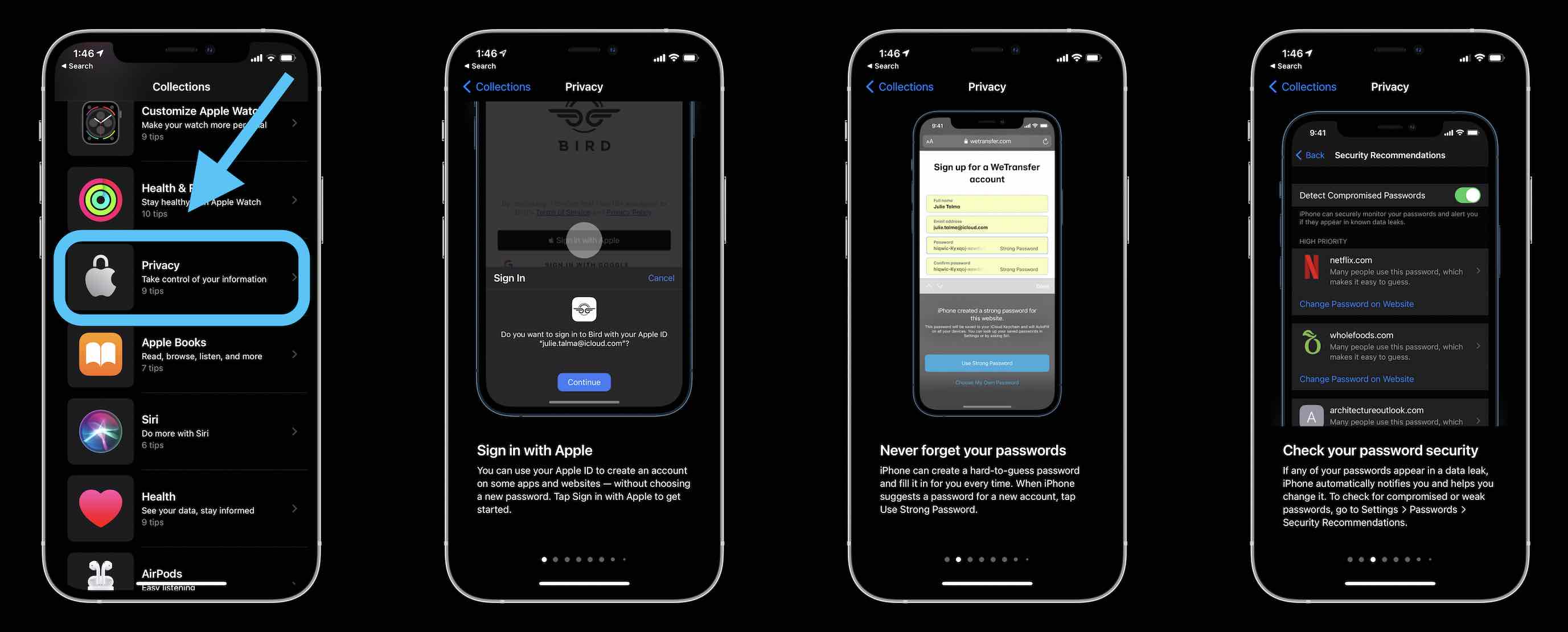
- You may see a notification about the new Privacy collection, but if not, open the app
- Swipe down a bit to find Privacy
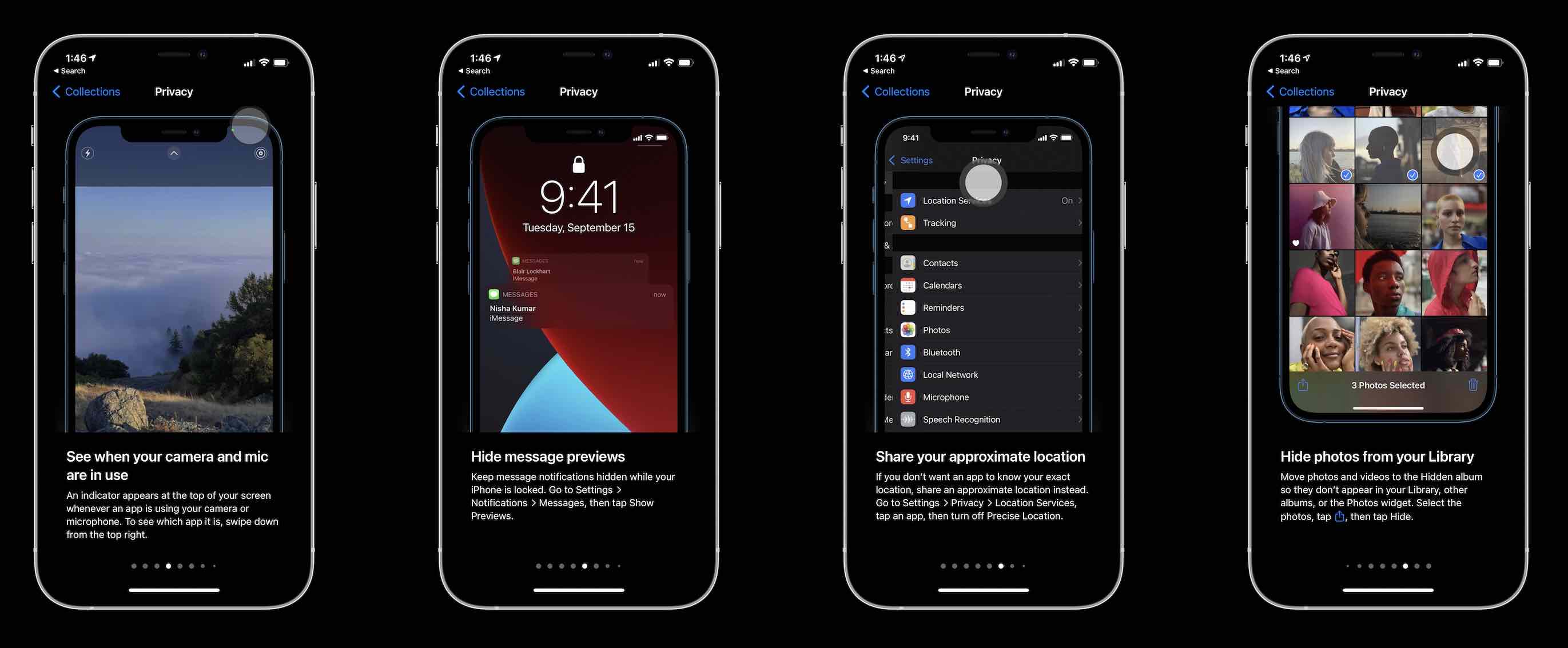
- The 9 tips include: Sign in with Apple, auto-generate passwords with iOS, check password security recommendations, understand when apps are using your camera/mic, hide Message previews, how to share approximate location, hide photos from your library, use private browsing, and check the Safari privacy report
Here’s a look at some of them:
- With support officially ended, Adobe ‘strongly recommends’ removing Flash now, here’s how
- Here’s how to use your Apple Watch as a viewfinder and remote for your iPhone’s camera
- What is mini-LED? Here’s what it could mean for the iPad and MacBook in 2021
- How to revive and restore M1 Macs, what the difference is, and when to use them
Author: Michael Potuck
Source: 9TO5Google
