



Google has decided to rename Android’s classic “Do Not Disturb” setting to “Priority mode” in the latest preview of Android 13.
For years, Do Not Disturb on Android and Pixel phones have offered a convenient way to disconnect from the many notifications one receives throughout the day. Notably, though, a key part of Do Not Disturb’s excellence is its ability to be bypassed by alarms, along with select people and apps, as chosen by you. By comparison, putting your phone in silent will stop all notifications from being bothersome while not actively using your phone.
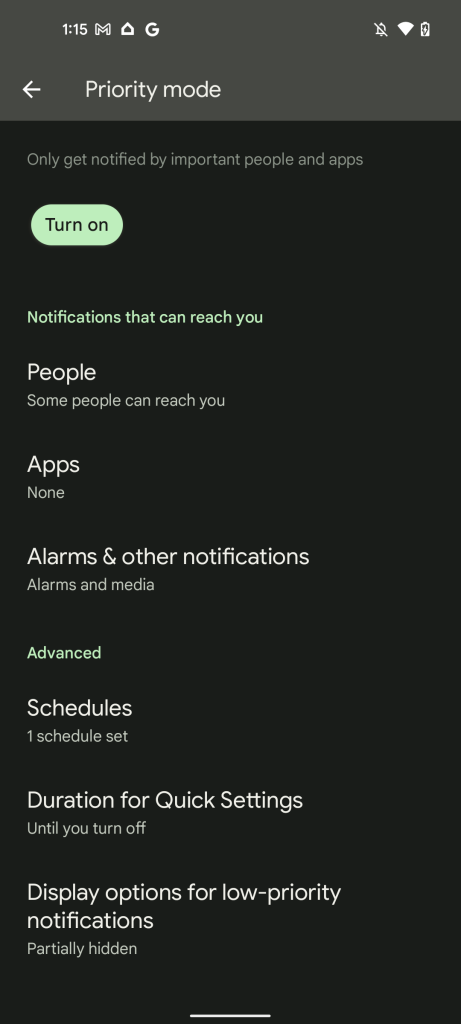
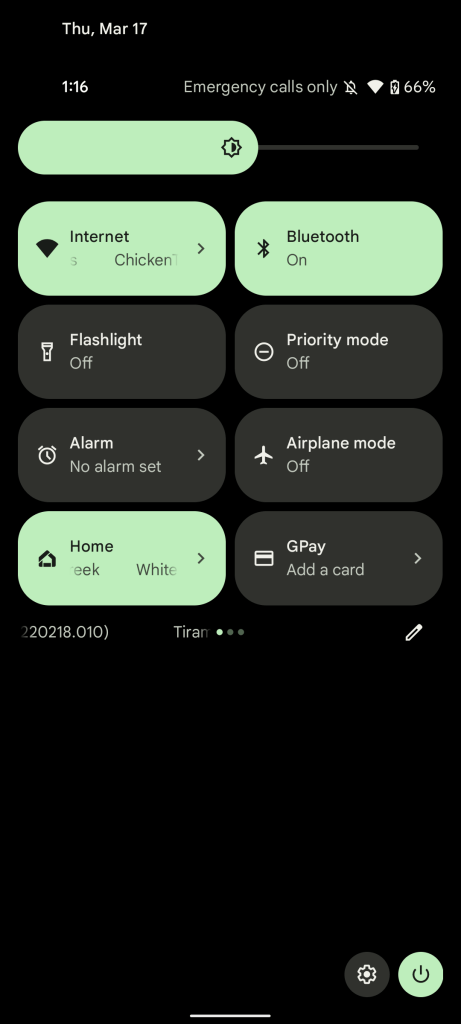
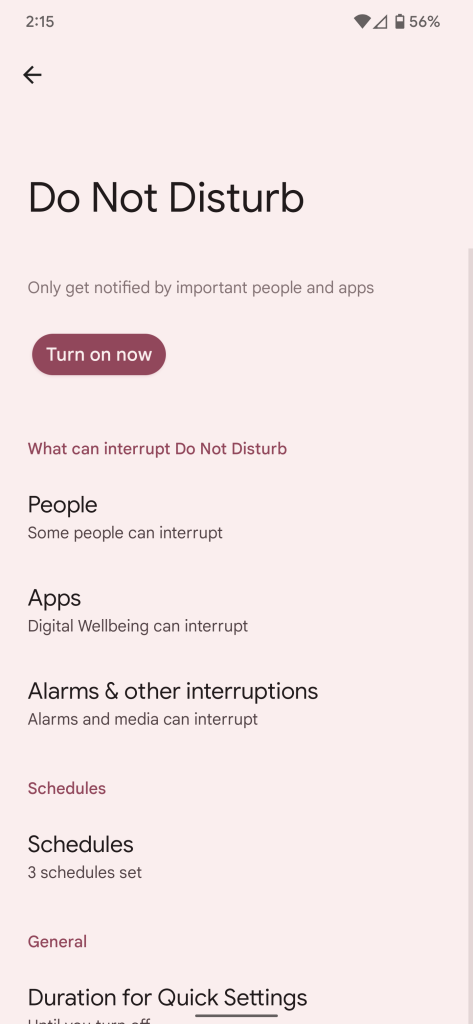
To better reflect Do Not Disturb mode’s true usage, Android 13 Developer Preview 2 instead refers to it as “Priority mode.” Functionally, Priority mode on Android 13 is identical to Do Not Disturb on Android 12L today. The only differences are in various pieces of text throughout the Android system, like the Quick Settings tile and the feature’s subheadings in the Settings app.
What can interrupt Do Not Disturb
— Before (Android 12L)
Notifications that can reach you
— After (Android 13 DP2)
The only other tweak to the settings page for Priority mode is that where “Schedules” used to be its own subheading, it now appears under “Advanced.”
More on Android 13:
- Here’s everything new in Android 13 Developer Preview 2 [Gallery]
- Android 13 DP2: Music notification panel gets new design w/ album art, revamped controls
- Android 13 DP2: Here’s the new built-in QR code reader in action [Video]
- Android 13 DP2: Per-app language settings are now available [Gallery]
Author: Kyle Bradshaw
Source: 9TO5Google
