



Are you in a situation where you’d like to stop seeing posts or stories from an account on Instagram but don’t want to (or feel like you can’t) unfollow them? Read on for how to mute someone on Instagram.
Whether it’s someone you’re around in day-to-day real life or don’t want to unfollow someone for another reason, Instagram’s mute option is a good way to remove posts from your feed without letting someone know that you’re not interested in seeing their posts (temporarily or indefinitely).
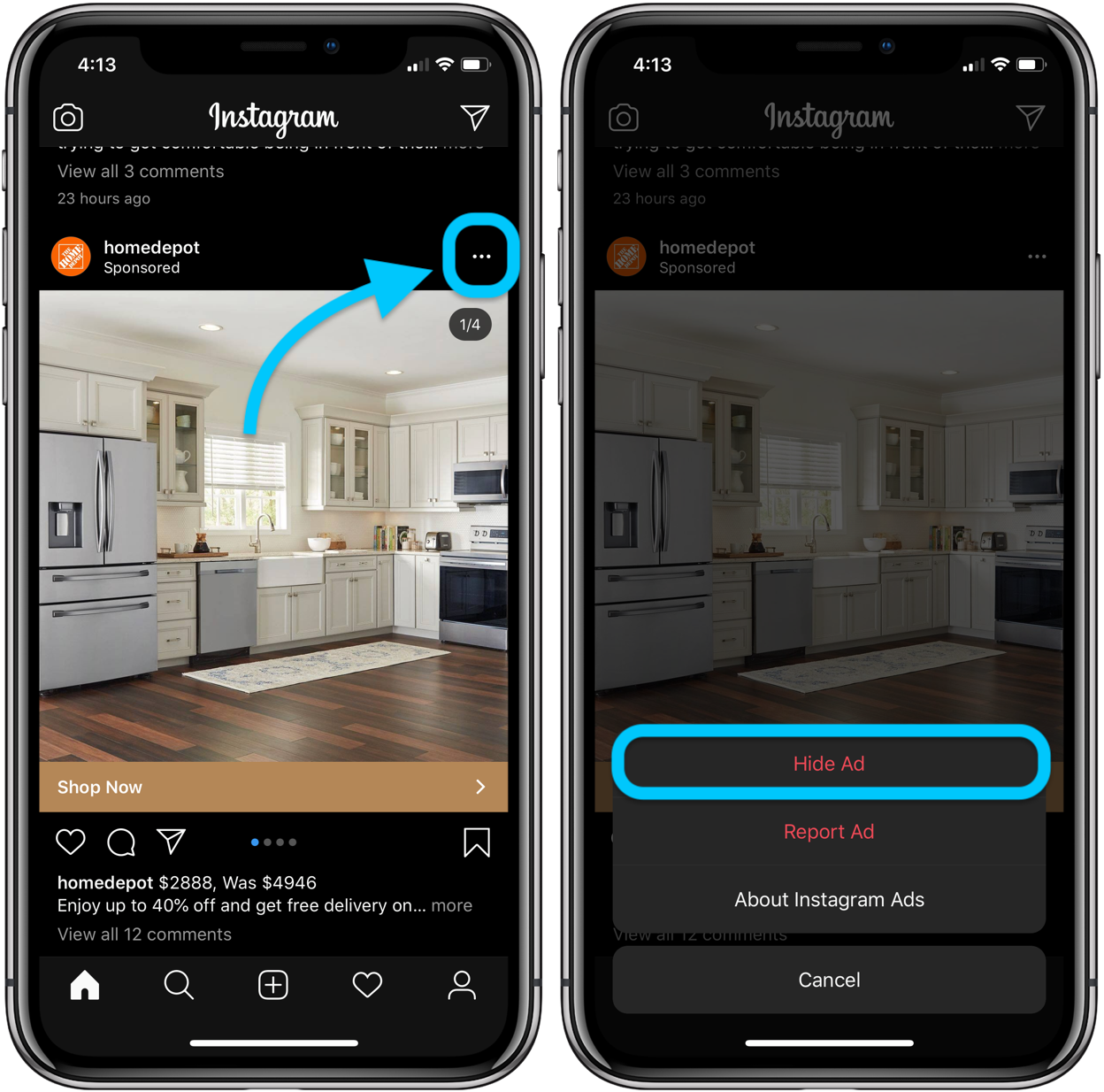
While you can’t mute ads, you can remove them from your feed and tell Instagram which ones aren’t relevant.
Finally, we’ll look at how to see all the people you’ve muted and how to unmute someone on Instagram on iPhone.
iPhone: How to mute someone on Instagram
- Open Instagram
- Pull up the person you’d like to mute from your feed or use the search feature to find someone
- Tap the in the top right corner of a profile or a post
- Tap
- Choose or

How to remove Instagram ads
When it comes to ads, tap the same three-dot icon to remove them from your feed. But keep in mind it won’t remove all ads. And Instagram will ask you why you’d like to remove it, which will curate what type of ads you’re shown over time.
Here’s what the process looks like:
How to unmute someone on Instagram
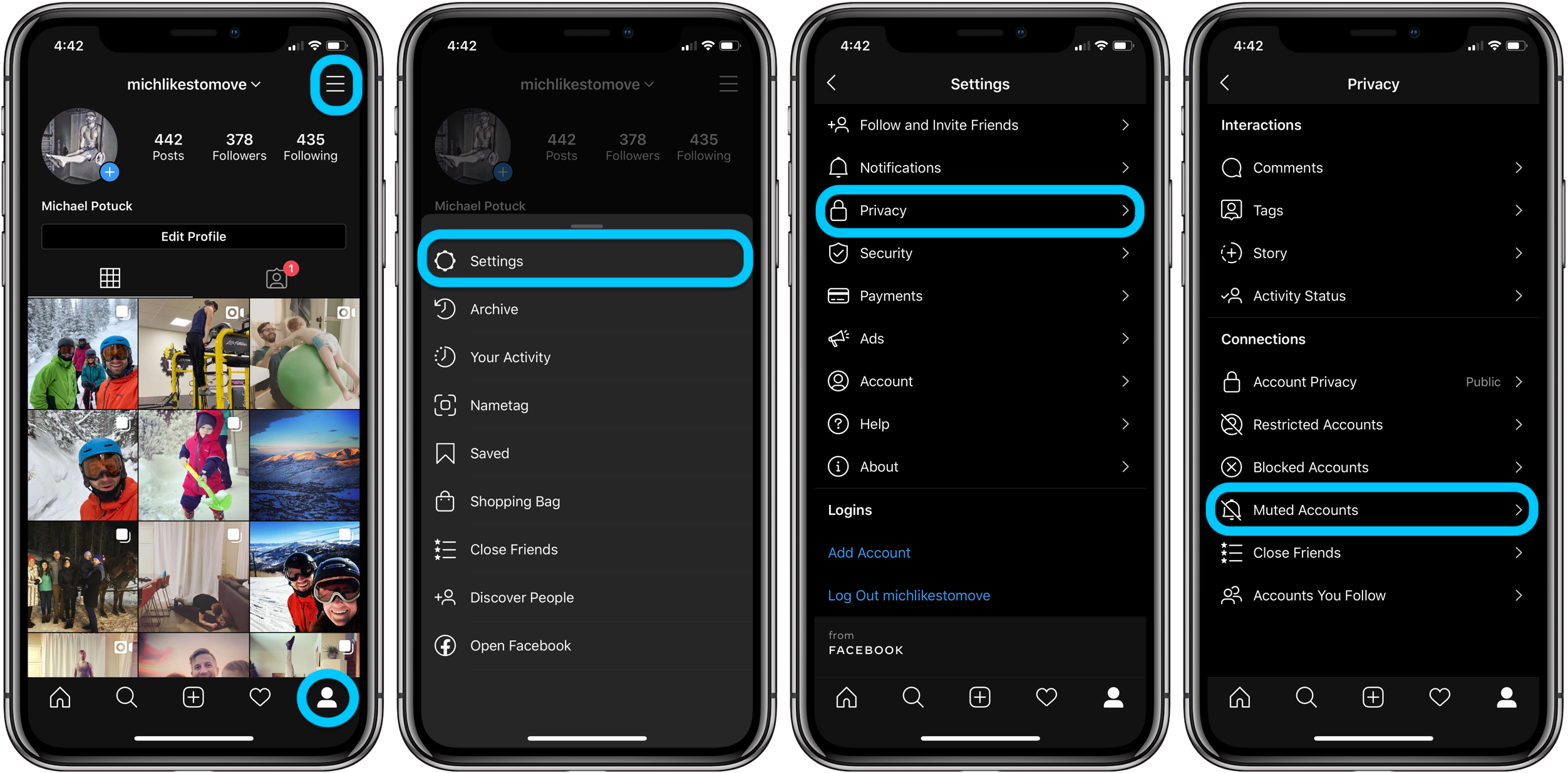
If you’d like to see who you’ve muted or unmute someone, head to your profile > Settings > Privacy > Muted Accounts.
Here’s how these steps look on iPhone:
- How to delete or temporarily disable your Instagram account
- iPhone: 5 tips to declutter and organize apps, emails, messages, photos, more
- How to use the Deep Fusion iPhone 11 and iPhone 11 Pro camera feature
- How to use the ultra wide camera on iPhone 11 and iPhone 11 Pro
- AirPods Pro vs Powerbeats Pro: How specs, size, price, and more compare
- What’s the difference in AirPods and AirPods Pro? Here’s how size, price, and features compare
Author: Michael Potuck.
Source: 9TO5Mac
