


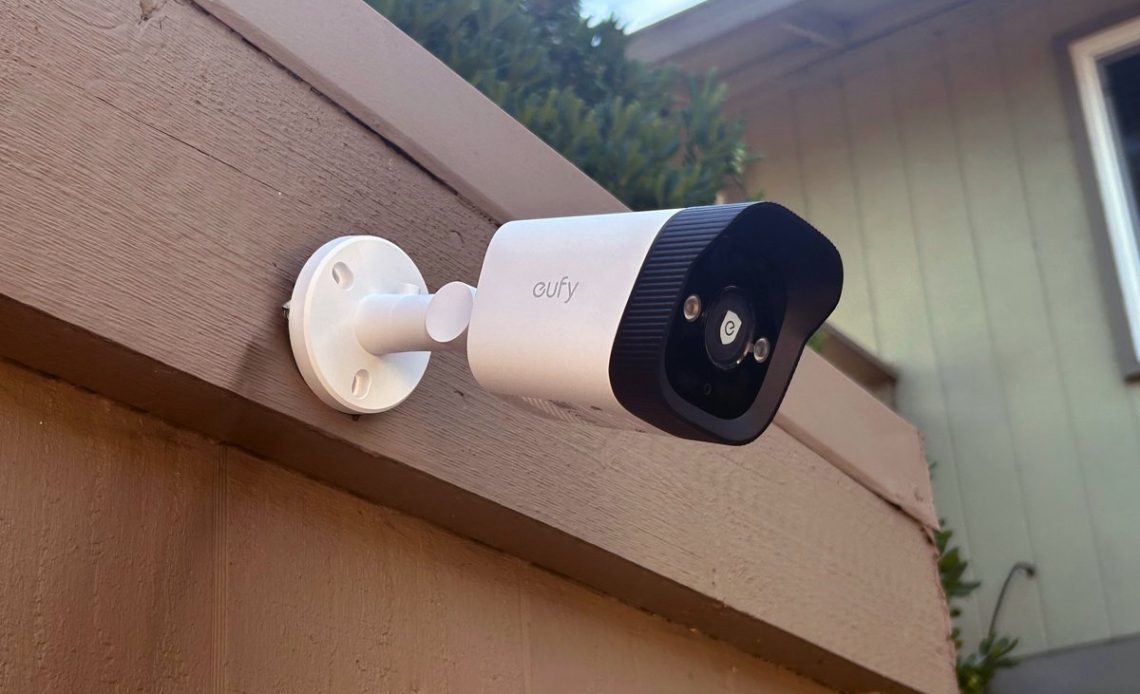
Two-way audio is standard on most consumer security cameras these days. Most people try it once, talk to their dog through the mic, laugh at the delay, and never think about it again. That’s a shame, because this tiny mic-and-speaker combo can make your camera far more useful than a silent video feed ever could.
Used well, it can stop a package thief in their tracks, make delivery drop-offs go more smoothly, or let you handle small household moments without running to the door. Used poorly, it can annoy strangers, spook guests, or even land you in situations you didn’t mean to create.
Let’s break down where two-way audio helps, when it gets in the way, and how to use it without making things uncomfortable for everybody.
At its core, two-way audio is simple: your camera has a tiny microphone and a small speaker onboard, and there’s a button in the camera’s app that lets you have a conversation with whoever’s in the camera’s field of view (using your smartphone’s mic and speaker on your end of the connection). The way that audio moves back and forth varies by camera. Some use half-duplex transmission, which is basically a walkie-talkie—you press to speak, release to listen. Others offer full-duplex, so both sides can talk at the same time. Full-duplex feels more natural, but it also demands stronger hardware and a steadier network connection.
Audio quality depends on a mix of factors you don’t always think about when you’re mounting a camera. A windy porch, a barking dog next door, the echo of a stucco wall, or a cheap speaker can turn a clear message into something people have to decode. Even a slight delay can make a conversation feel out of sync, especially if your Wi-Fi is spotty or the camera is installed far from the router. That’s why some models sound clear and confident while others make you feel like you’re shouting through a keyhole.
There’s also a privacy angle that people often forget. A camera with two-way audio isn’t just watching your property, it’s also listening to the environment around it. And when you speak, you’re projecting your voice into the outside world, sometimes farther than you might expect. That power is useful, but it comes with responsibilities, which is why understanding how the tech works sits at the heart of using it well.
Two-way audio earns its keep when something on your live camera stream doesn’t look right. A firm, “Can I help you?” aimed at someone eyeballing your porch is often enough to make them rethink their decision. Same goes for a stranger poking around the side yard or checking car doors in your driveway. You don’t need to sound intimidating. A calm, neutral voice works better than barking threats, and it keeps you from turning a sketchy moment into a real confrontation. The rule of thumb: nudge, don’t escalate.
It’s just as handy with delivery drivers. A quick request to drop the package behind a planter, avoid the doorbell during a child’s nap time, or confirm they’re at the right house can save you headaches later. What you don’t want to do is hover. Drivers are already juggling scanners, route timers, and the weather. Give them direction, not a play-by-play of where to place the box (that said, it’s fair to ask them to use your secure delivery box, if you have one).
Inside the home, two-way audio on indoor cameras becomes a convenient intercom system (if you don’t have smart speakers that can fill that role). Maybe you’re checking in on a teenager who just got home from school, or you want to let an older parent know you’re stuck in traffic but are on your way. Sometimes it’s as simple as asking someone to pull a package inside before the rain rolls in. All of this depends on tone. If every check-in sounds like a security audit, people start feeling watched instead of helped.
Pets are another place where two-way audio can shine, as long as you don’t treat it like a magic remote-control training device. Some dogs perk up at their owner’s voice and settle down. Others get more anxious because they can hear you but can’t find you. Short, simple cues—“off the couch” or “leave that alone”—tend to land better than trying to run obedience school through a tiny speaker.
And then there are those moments when someone you know rings the bell and you’re nowhere near the door. A friendly, “Be right there,” or pointing a neighbor toward the backyard gate keeps things moving. If you’re hosting a get-together and need to direct someone to the side entrance, it beats making them stand around guessing.
Two-way audio has its limits, and most of the trouble comes from using it when its inappropriate. A common mistake is jumping in as soon as a motion alert fires, and talking before you’ve had a chance to see what’s actually happening. The person you’re addressing might just be walking a dog or pausing on the sidewalk, which makes the interaction feel nosy from their side of the lens. The same goes for chiming in every time a delivery driver appears. They’re on a tight schedule and usually just want to drop off the package and move on. And using the mic to check in on neighbors, landscapers, or anyone else who isn’t expecting to be monitored crosses a line fast. If someone doesn’t know they’re part of your camera’s “audience,” it’s better to stay quiet.
There’s also the legal side. U.S. audio-recording laws vary by state: some use one-party consent, where only one person involved in the conversation needs to approve the recording. Others require all parties to consent, in part because recorded conversations can reveal things a silent clip can’t, such as names, personal details, or even other voices in the background. And when you speak through your camera, you’re not just recording someone, you’re engaging in a conversation. That puts you under a different set of expectations. The easiest way to avoid trouble is to be up front. Tell visitors, contractors, or rental guests that cameras are in use, and don’t record conversations where someone wouldn’t reasonably expect it.
And then there are situations where the safest move is to stay silent. It’s fine to use two-way audio to interrupt uncertain or low-risk situations, such as the ones mentioned earlier, but if someone’s already breaking into a car or forcing a door, shouting at them from a tiny speaker is unlikely to stop the act, and it can make the situation more volatile. At that stage, a bright light, loud siren, or alert to your professional monitoring service does far more than your voice—and it keeps you safer.
There are a few simple habits that make two-way audio feel natural instead of intrusive. The first is easy: keep it short. A quick, neutral line lands better than a monologue. No jokes, no lecturing, no dramatic “I see you.” Say what you need to say and get out of the way.
Second, always identify yourself. A fast, “Hey, this is John at the house,” clears up confusion and lowers the odds that someone jumps or looks around wondering where the voice is coming from. It sets the tone immediately.
Third, don’t pop in out of nowhere. If your doorbell cam already sent a chime or notification, give it a beat before you talk. And with delivery drivers or guests, only jump in when needed. Dropping a disembodied voice on someone who’s already juggling bags or paperwork never feels good.
Fourth, lean on automations when they do the job better than you can. Many video doorbells and security cameras offer quick replies like “Please leave the package by the gate” or “Be right there.” Those canned messages sound less intrusive and are perfect for routine interactions.
Finally, treat the mic like any other access point to your home. Don’t mention you’re out of town, don’t hand out personal details, and lock down your account with good authentication. Turn off remote access for anyone who doesn’t need it, and check your app’s event history periodically and make sure nothing potentially problematic happened. You want the feature to help you, not reveal more than you meant to.
Two-way audio works best when you use it with a light touch. Keep it purposeful and respectful, and it becomes a small but surprisingly helpful part of your setup. Think of it as a communication tool rather than a surveillance one. Used that way, it adds a human layer to a piece of tech that can feel cold and even a little unsettling. That’s really all it needs to do.
This story is part of TechHive’s in-depth coverage of the best home security cameras and the best video doorbells.
Author: Michael Ansaldo
Source: PCWorld
Reviewed By: Editorial Team
