



Following the desktop update last week, Chrome OS 88 is beginning to roll out today. There are a handful of usability enhancements in this release, which will be available over the coming days.
The Chrome OS screen saver lets you transform your Chromebook’s lock screen into a personalized smart display.
The big feature of Chrome OS 88 turns your idle device into a very basic Smart Display. This “Screen saver” can cycle through your Google Photos library, with the ability to select specific albums. Users can alternately choose “Featured photos” or “Earth and Space” galleries.
The time is noted in the bottom-left, while the weather (condition and temperature) appears right beside it. Meanwhile, Google will note any playing music in the top-right corner. The bottom edge of the screen notes battery, Wi-Fi status, and how many unread notifications you have. There’s also the “Sign out” button.
We’re seeing the option live on a Pixelbook running version 88 under Chrome OS Settings > Personalization > Screen saver. It activates “when your screen is idle,” with Google calling it a way to “beautify your space with a personalized lock screen.”


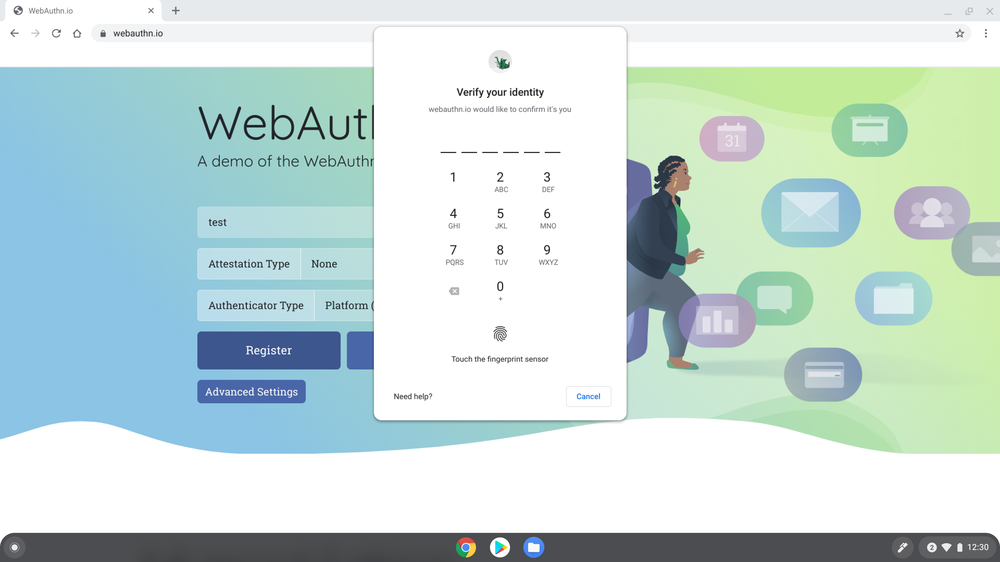
On supported websites, WebAuthn allows your Chromebook PIN or fingerprint to be used in lieu of passwords. Your on-device unlock method is never shared with the web service, while this can also be used for 2-Step Verification to replace security keys and phones.
To get started, sign in to a supported website like Dropbox, GitHub or Okta, and you’ll be prompted to switch to using WebAuthn for future sign-ins.
Other specific changes in Chrome OS 88 include:
- The Camera app now saves photos and videos to a new “Camera” folder in the My Files app. Past shots will remain in Downloads.
- You can move between Virtual Desks by double or triple tapping the + [ or + ] shortcut.
- Instead of having to visit drive.google.com/drive/settings, Docs, Sheets, and Slides can be made available offline through the Files app.
- The autocorrect UI has been improved with better visual feedback when a correction has been made, while there’s a new undo method.
- The Chrome OS magnifier can now be controlled/panned with Ctrl + Alt and the arrow keys.
- Google has improved the consistency of touchpad gestures based on whether natural or Reverse scrolling is set.
Author: Abner Li
Source: 9TO5Google
