


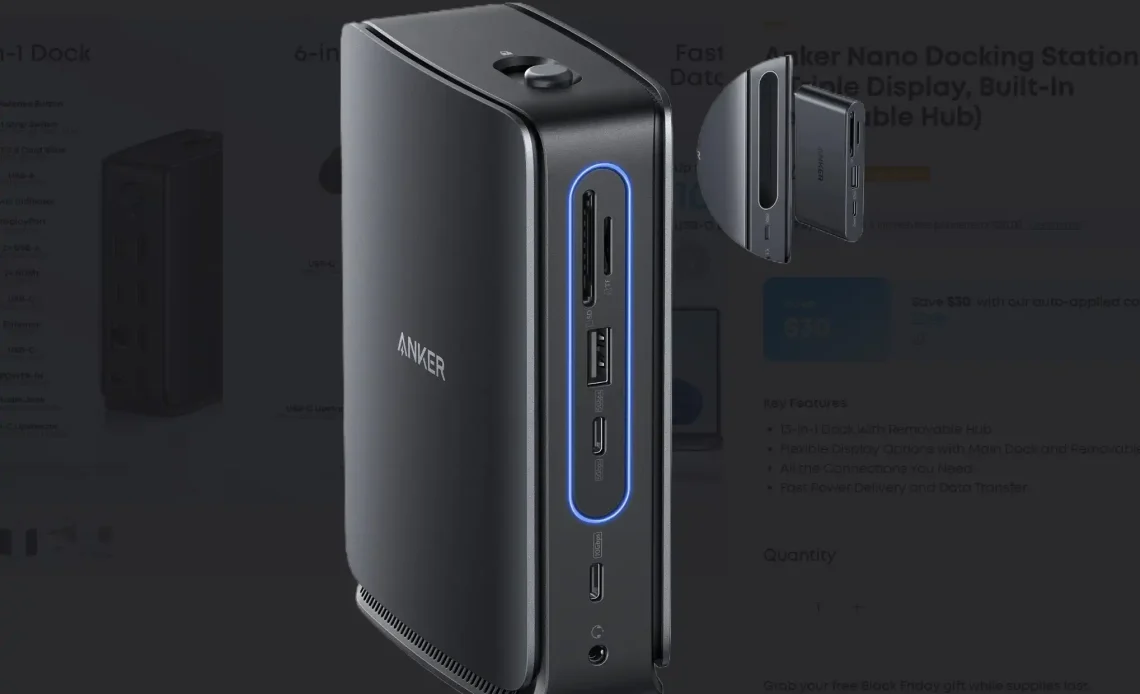
Anker, a well-known name in the PC peripherals space, has a new approach to docking stations and hubs: combine them.
Anker calls its new dock the Anker Nano Docking Station (13-in-1), and sells it for $149.99 on its website. But you don’t have to be a 1980s nerd to understand how it works. (If you are, think of Soundwave, a boombox Decepticon of Transformers fame, which hid another Decepticon in its cassette deck, like LaserBeak or Ravager.)
In any event, Anker’s dock is both a docking station as well as a detachable hub, which neatly solves the problem of what to do with a desktop-mounted docking station when you take your laptop on the road. Anker’s 13-in-1 dock ejects a 6-in-1 hub, which you can connect directly to your laptop, too.
It’s a neat trick, but with a couple of drawbacks: First, the whole setup is a essentially a USB-C docking station, a larger version of a USB-C hub. Anything that uses a generic USB-C port connects via its 10Gbps bus, which becomes an issue when you route multiple displays and Ethernet through it.
USB-C docks like Anker’s solve this problem by using Display Stream Compression, a native version of data compression that exists on modern laptops, and is supported by two different DisplayPort video interfaces. DSC provides different capabilities to different laptops, however: If your dock supports DisplayPort (DP) 1.4., the dock can connect up to three displays on this dock at 1440p resolution. Those with the older DP 1.2 interface can only connect to three displays at the awkward 1600×900 resolution (or two 1080p displays), as Anker’s helpful setup video points out. Intel laptops typically made the transition between the two with the 11th-gen Core processors being the most likely to support DP 1.4.
USB-C docking stations aren’t a bad choice, but with anything more than 10Gbps, you can notice stuttering and other issues. Thunderbolt docks, with a 40Gbps connection, are usually preferred with large, multiport docks.
The other hitch is that the “hub” portion of the docking station simply slots into the dock itself via a single fixed USB-C plug. That’s fine for the dock, but it also means that there’s no cord for the hub portion to connect to your laptop. That means that the Anker hub portion will sit flat against your laptop. Since laptop makers typically crowd ports together, that means that the hub might end up blocking other ports on your laptop. Anker recommends you “research” this, but it’s still a gotcha to think about.
However, Anker’s dock does include an ample collection of ports, and the hub does too. The dock also supplies 100W of power to your laptop, via a 140W charger. (The hub, however, will require a separate USB-C charger to push power through its input port.

Anker
As The Verge notes, this hub will work with both Macs and PCs, but with different outputs depending on what sort of Mac hardware you own.
Author: Mark Hachman
Source: PCWorld
Reviewed By: Editorial Team
